> ## Documentation Index
> Fetch the complete documentation index at: https://docs.dezerx.com/llms.txt
> Use this file to discover all available pages before exploring further.
# Stripe
> Follow this guide to connect Stripe with Spartan
## Prerequisites
* Stripe Account
* Access to Stripe Dashboard
* Your application ready for integration
## Get API Keys
Go to [https://dashboard.stripe.com](https://dashboard.stripe.com) and log in to your Stripe account.
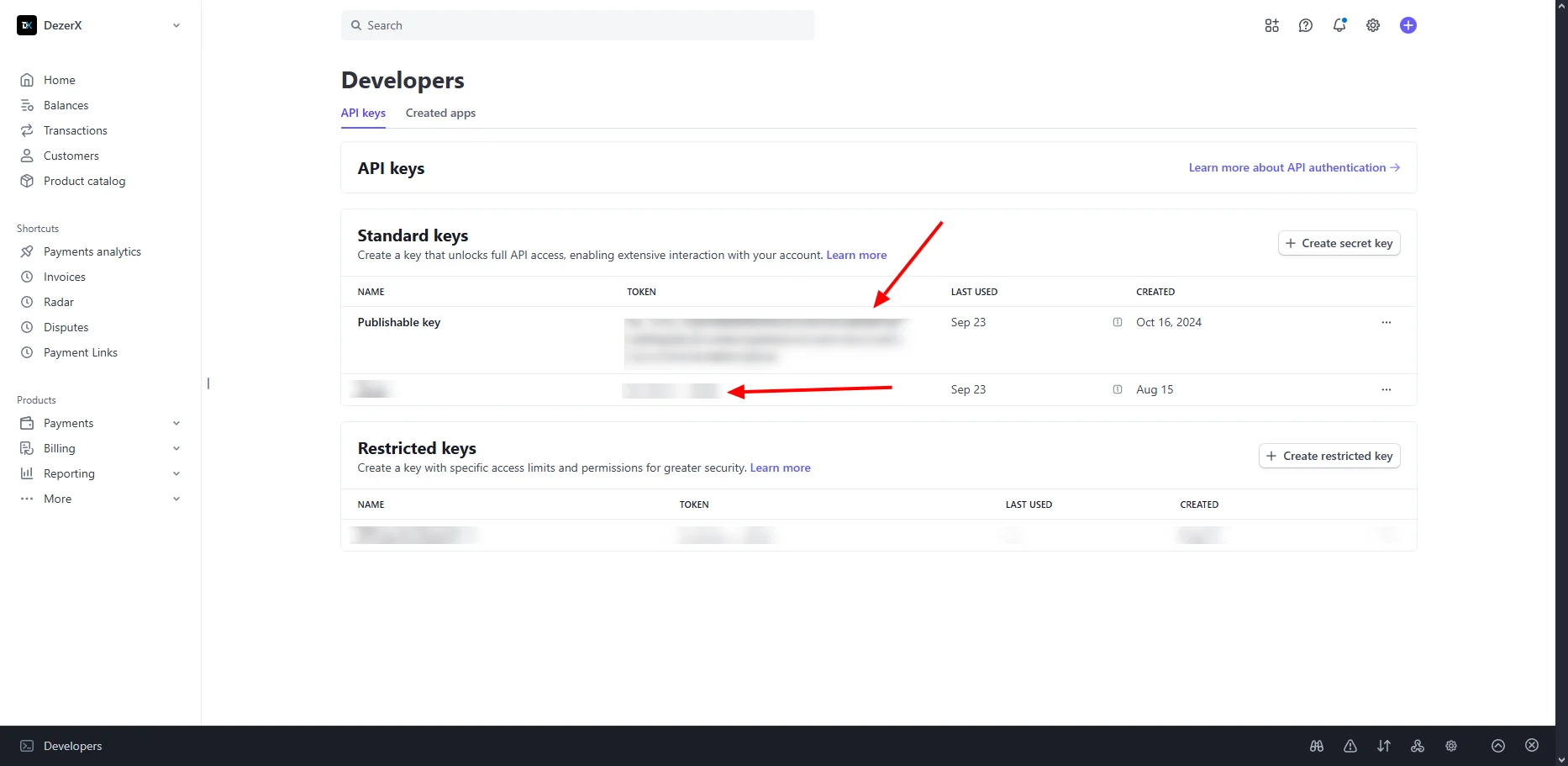
In the left sidebar, go to **Developers → API keys**, then copy your **Publishable key** and **Secret key**.
 ## Access Webhook Workbench
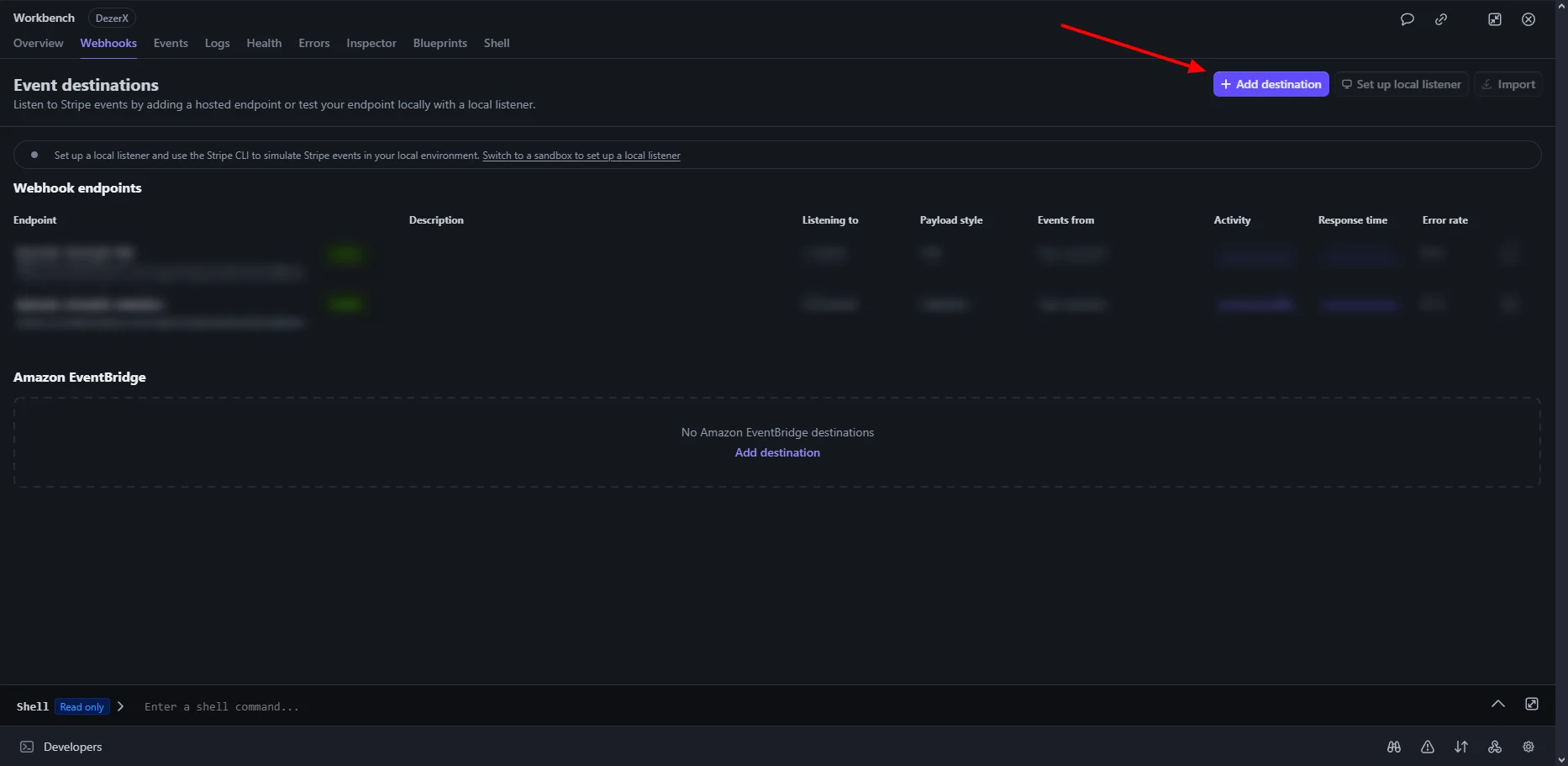
In the left sidebar, go to **Developers → Webhooks**.
Click **Add destination** to open the webhook workbench.
## Access Webhook Workbench
In the left sidebar, go to **Developers → Webhooks**.
Click **Add destination** to open the webhook workbench.
 ## Select Events
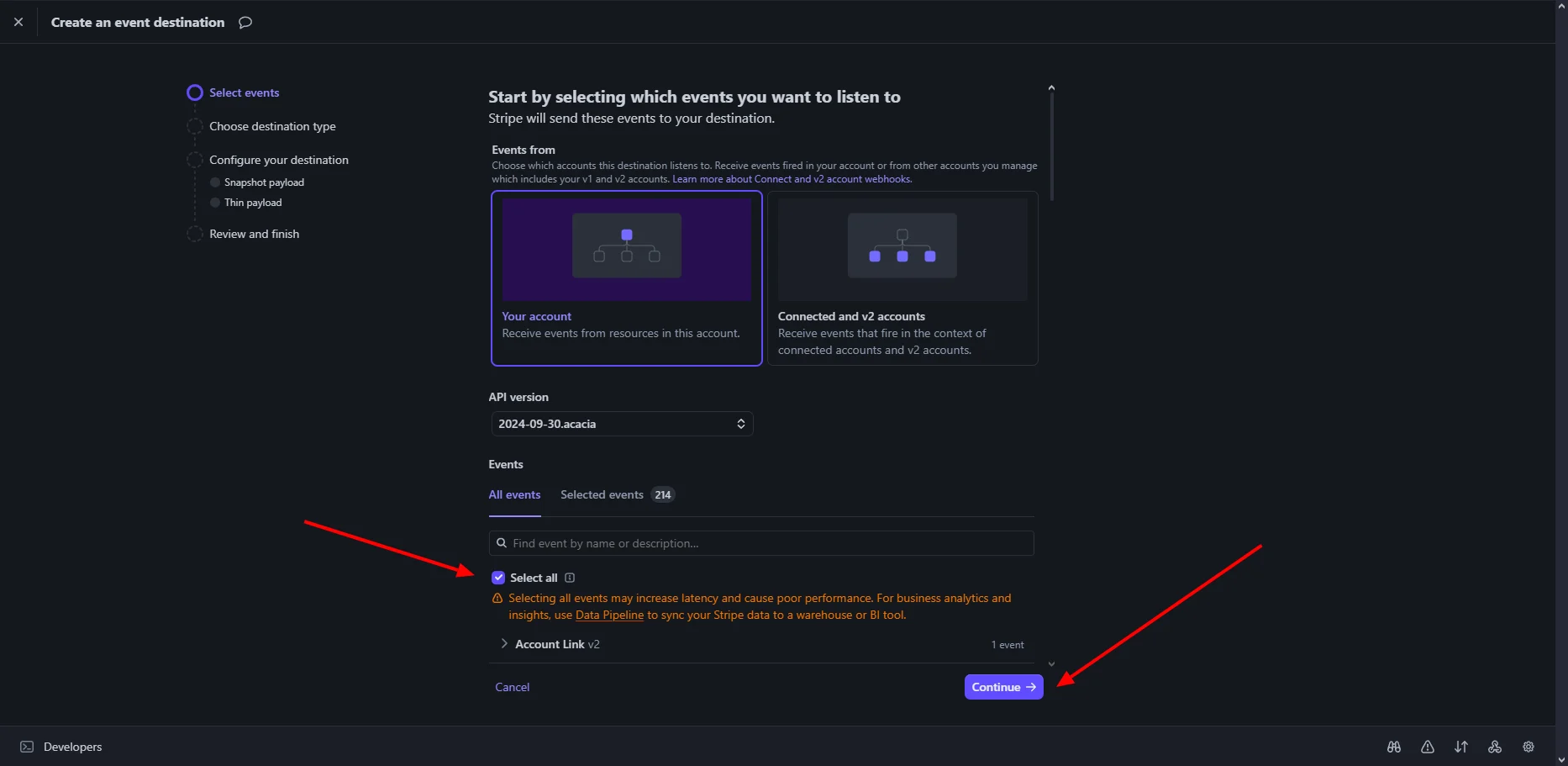
Select **All events** to monitor all Stripe events, then click **Continue**.
## Select Events
Select **All events** to monitor all Stripe events, then click **Continue**.
 ## Configure Webhook Endpoint
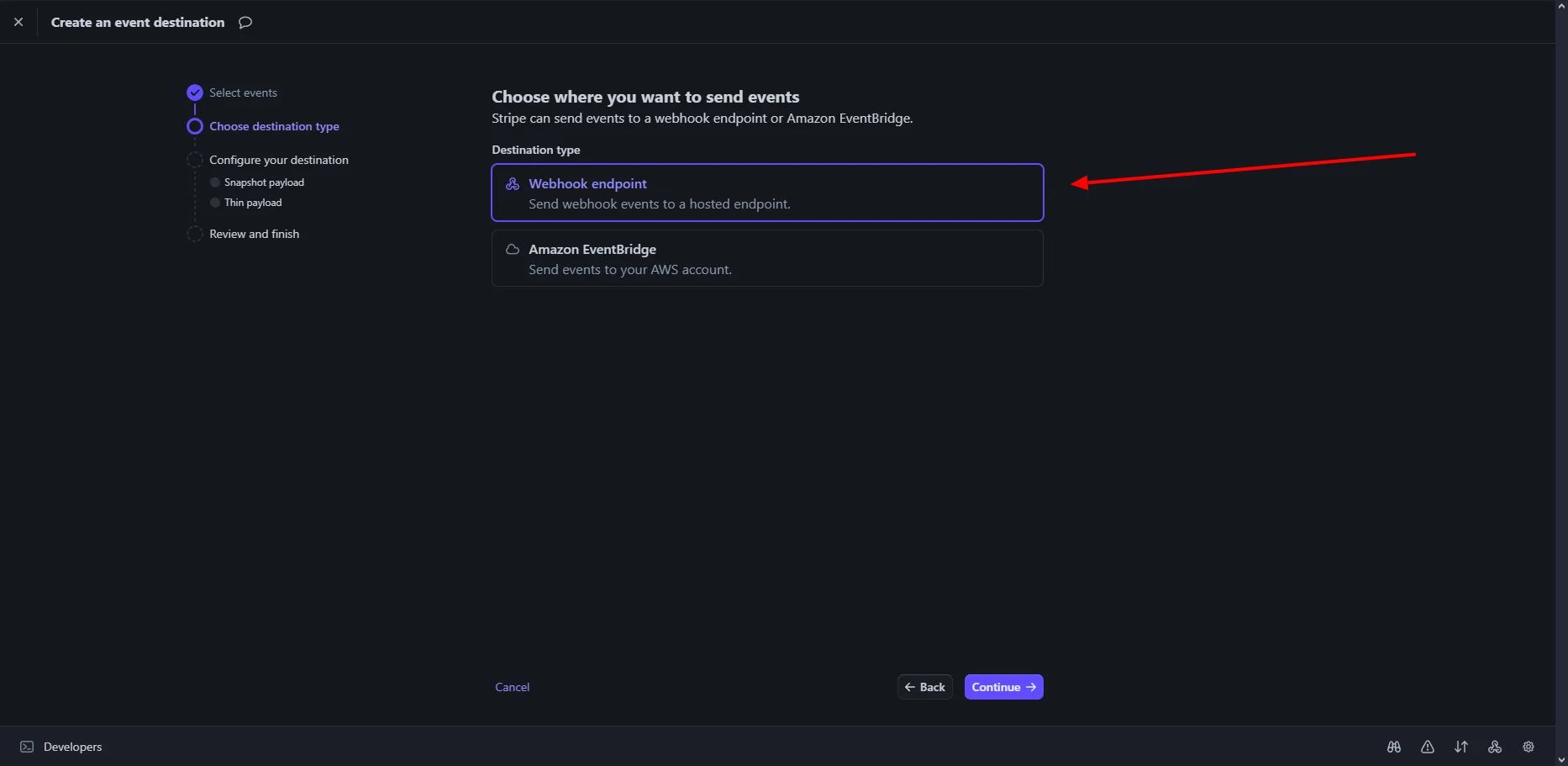
Select **Webhook endpoint**, then click **Continue**.
## Configure Webhook Endpoint
Select **Webhook endpoint**, then click **Continue**.
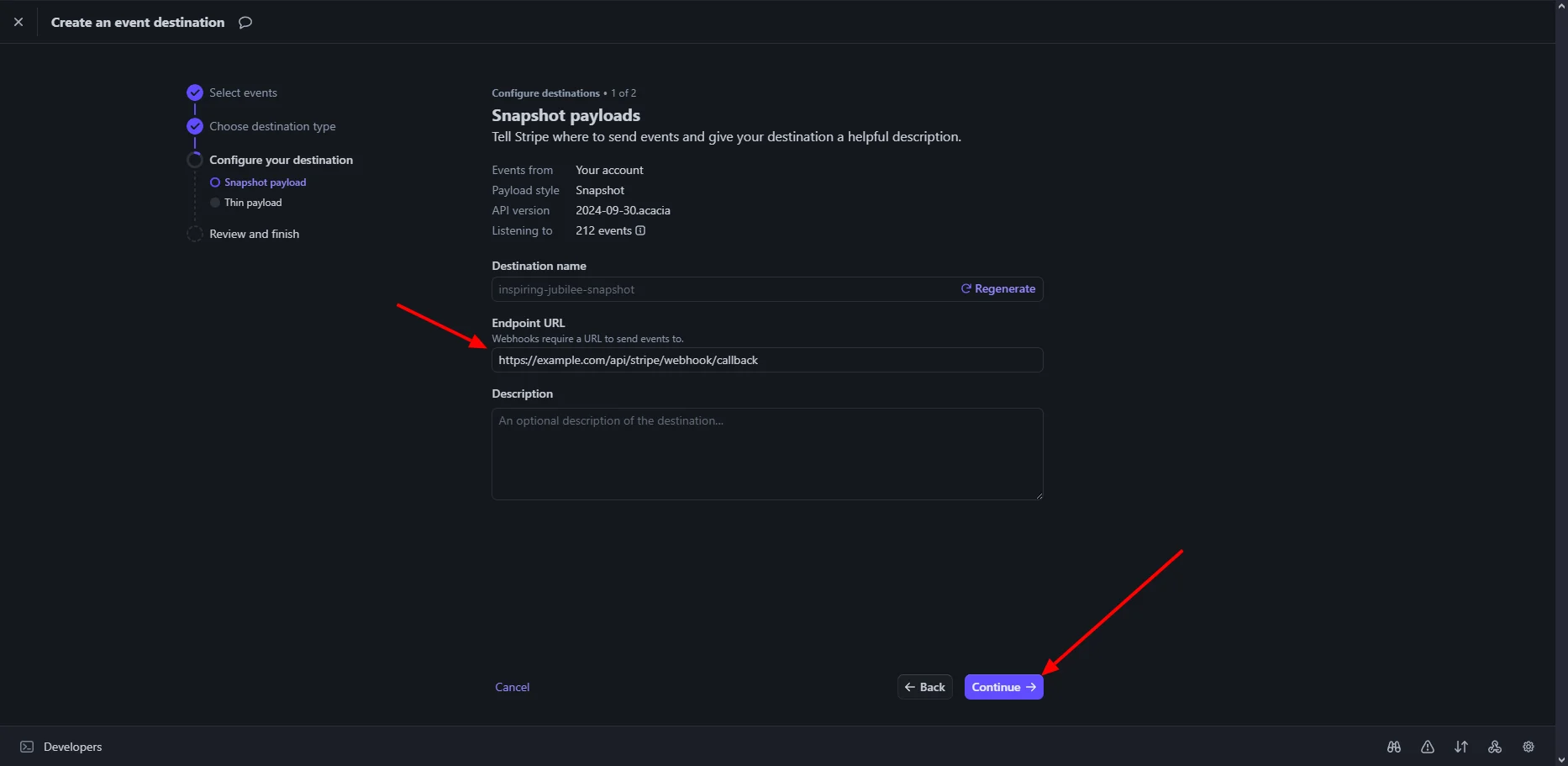
 ## Configure Destination
Enter a descriptive name for your webhook, such as `My Store Webhook`.
The endpoint URL must end with `/api/public/gateways/stripe/webhook/callback`.
For example:
```text theme={null}
https://yourdomain.com/api/public/gateways/stripe/webhook/callback
```
Review the configuration and click **Continue** to create the webhook.
## Configure Destination
Enter a descriptive name for your webhook, such as `My Store Webhook`.
The endpoint URL must end with `/api/public/gateways/stripe/webhook/callback`.
For example:
```text theme={null}
https://yourdomain.com/api/public/gateways/stripe/webhook/callback
```
Review the configuration and click **Continue** to create the webhook.
 ## Webhook Created Successfully
After creating the webhook, review its details and copy the webhook endpoint URL.
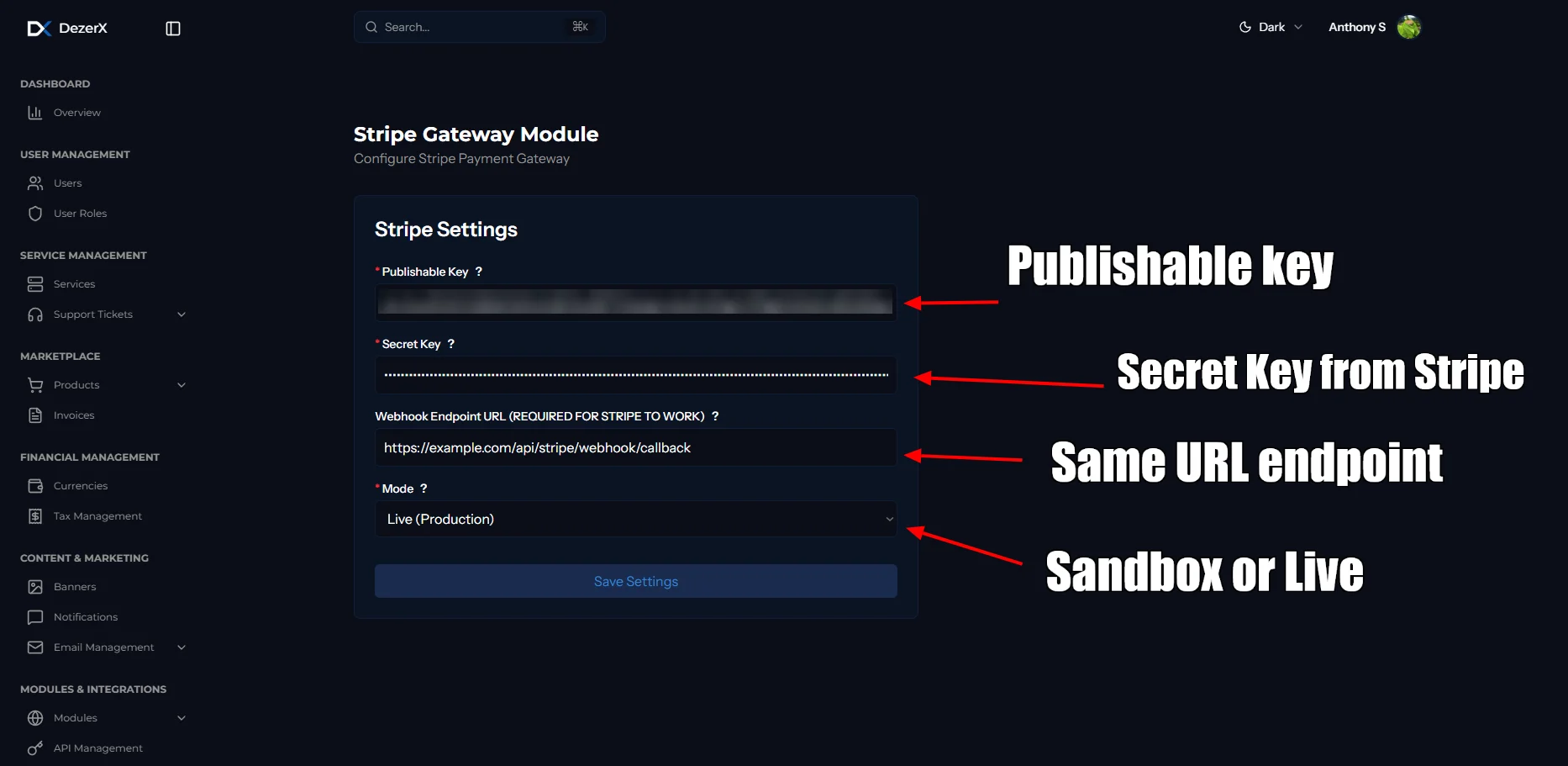
## Add Stripe to Spartan
Log in to Spartan as an administrator, then go to **Modules → Gateways → Stripe**.
Enter your Stripe credentials and webhook details, then click **Save Settings**.
## Webhook Created Successfully
After creating the webhook, review its details and copy the webhook endpoint URL.
## Add Stripe to Spartan
Log in to Spartan as an administrator, then go to **Modules → Gateways → Stripe**.
Enter your Stripe credentials and webhook details, then click **Save Settings**.
 ## Troubleshooting
### Common Issues
1. **Invalid Credentials**
* Verify Publishable Key and Secret Key are correct
* Ensure you're using the right environment (test/live)
2. **Webhook Not Receiving Events**
* Check webhook URL is accessible
* Verify webhook endpoint URL ends with `/api/public/gateways/stripe/webhook/callback`
* Verify webhook is enabled and configured correctly
* Check your server logs for errors
3. **Payment Failures**
* Verify your Stripe account is in good standing
* Check if the payment amount is within limits
* Ensure all required fields are provided
### Support Resources
* [Stripe Documentation](https://stripe.com/docs)
* [Stripe API Reference](https://stripe.com/docs/api)
* [Stripe Webhook Documentation](https://stripe.com/docs/webhooks)
## Troubleshooting
### Common Issues
1. **Invalid Credentials**
* Verify Publishable Key and Secret Key are correct
* Ensure you're using the right environment (test/live)
2. **Webhook Not Receiving Events**
* Check webhook URL is accessible
* Verify webhook endpoint URL ends with `/api/public/gateways/stripe/webhook/callback`
* Verify webhook is enabled and configured correctly
* Check your server logs for errors
3. **Payment Failures**
* Verify your Stripe account is in good standing
* Check if the payment amount is within limits
* Ensure all required fields are provided
### Support Resources
* [Stripe Documentation](https://stripe.com/docs)
* [Stripe API Reference](https://stripe.com/docs/api)
* [Stripe Webhook Documentation](https://stripe.com/docs/webhooks)