> ## Documentation Index
> Fetch the complete documentation index at: https://docs.dezerx.com/llms.txt
> Use this file to discover all available pages before exploring further.
# Namecheap
> Follow this guide to connect Namecheap with Spartan
To enable the Namecheap API, your account must meet one of the following requirements:
Without meeting one of these requirements, the Namecheap API cannot be enabled.
* Have \$50+ in Namecheap account credit
* Have at least 20 active domains in your Namecheap account
## Access Namecheap API Settings
Log in to your Namecheap account.
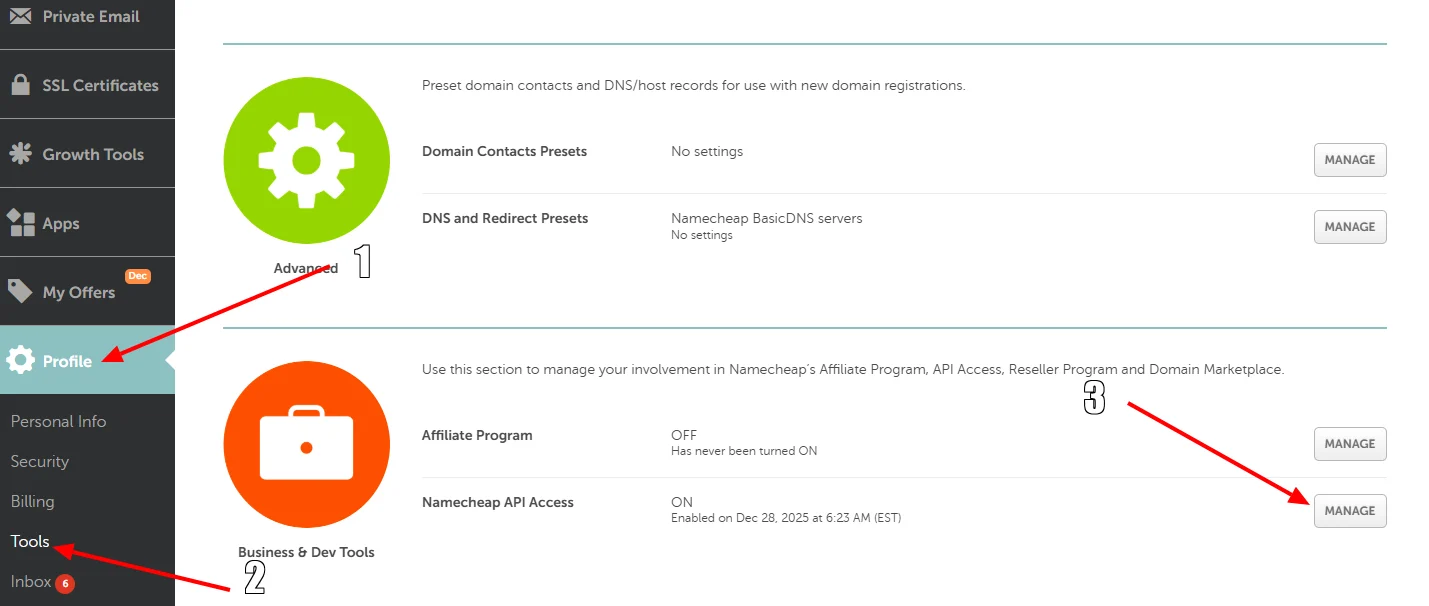
Go to **Profile → Tools**, then click **Manage** under **Business & Dev Tools**.
 ## Enable the Namecheap API
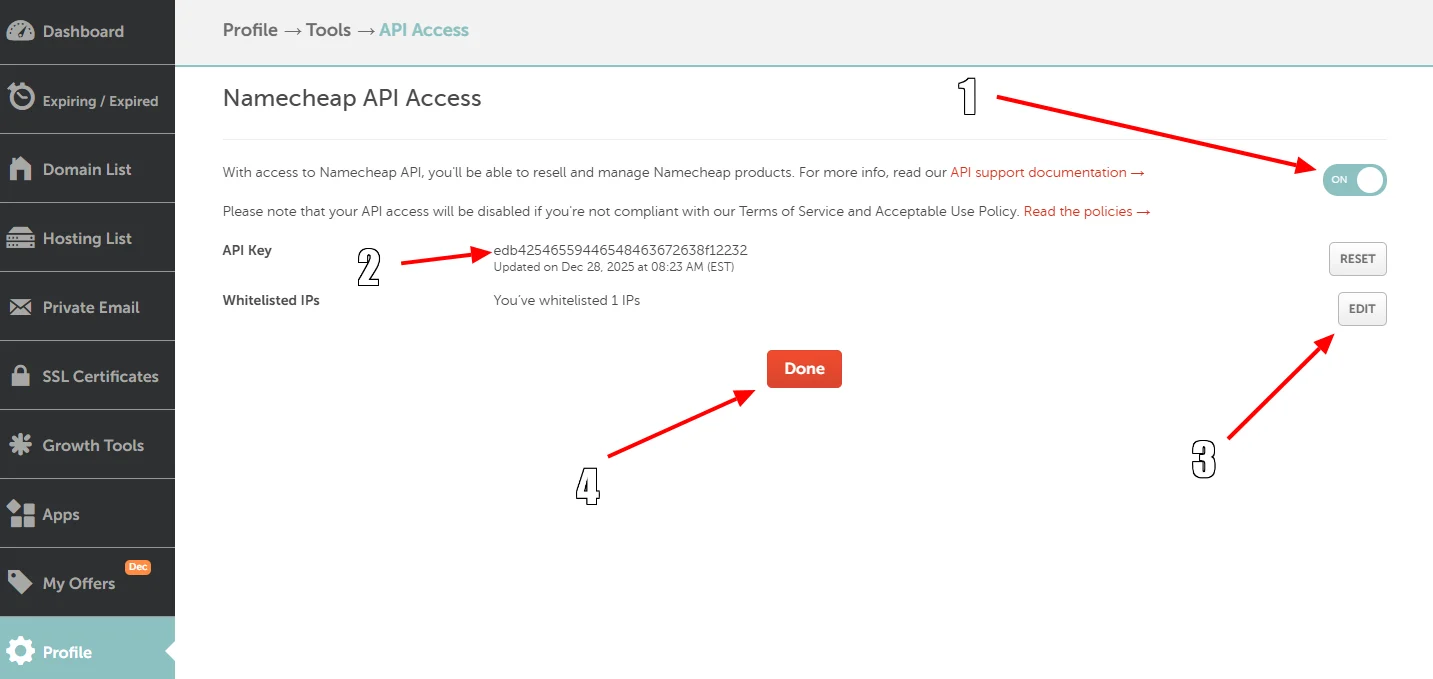
Enable the Namecheap API.
Copy your API token and store it securely.
Whitelist the IP address of your DezerX Spartan instance, then click **Done** to save your changes.
## Enable the Namecheap API
Enable the Namecheap API.
Copy your API token and store it securely.
Whitelist the IP address of your DezerX Spartan instance, then click **Done** to save your changes.
 ## Configure DezerX Spartan
Open DezerX Spartan and go to **Admin → Modules → Services**.
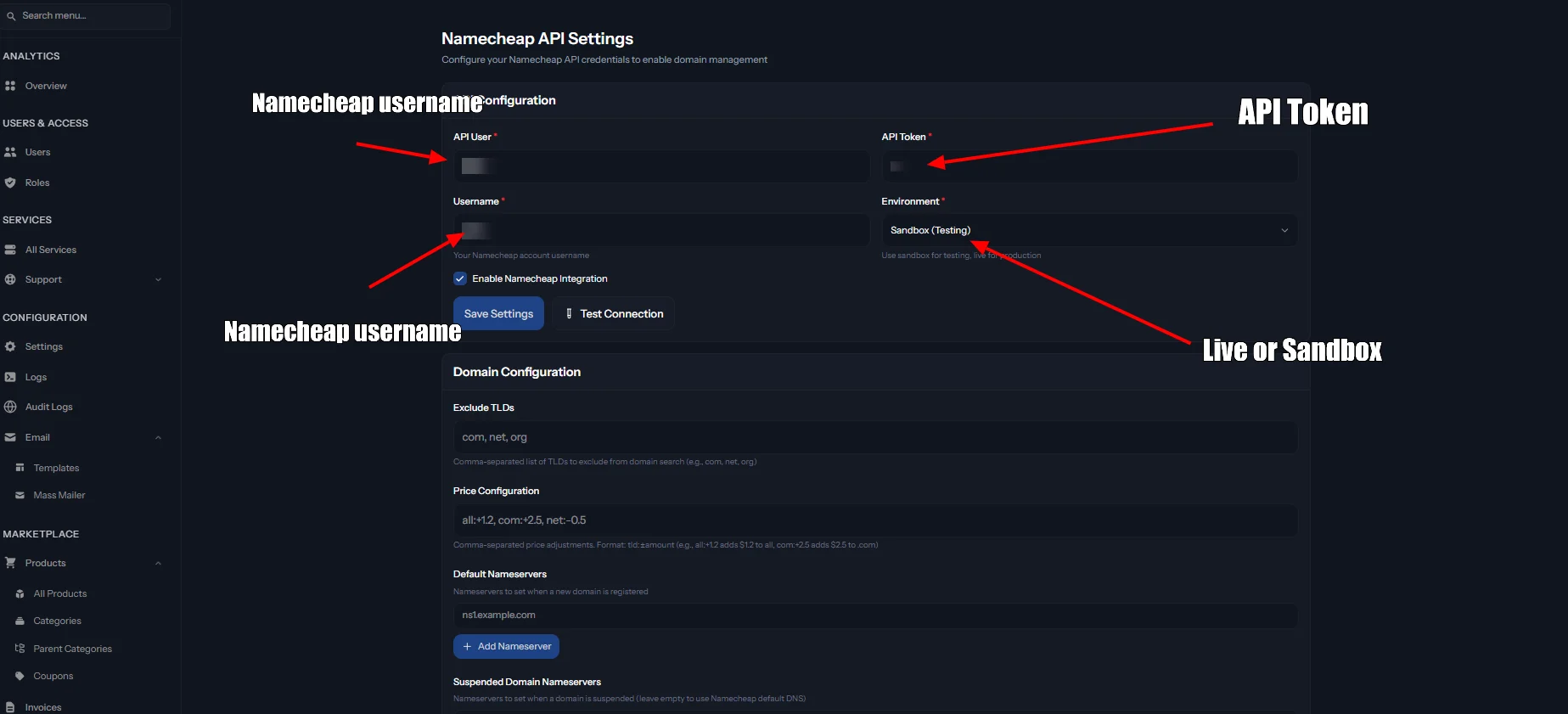
Select the **Namecheap** service and fill in all required fields using your Namecheap API details.
## Configure DezerX Spartan
Open DezerX Spartan and go to **Admin → Modules → Services**.
Select the **Namecheap** service and fill in all required fields using your Namecheap API details.
 Once enabled, Namecheap functionality will be available through the main portal rather than the admin product system.