> ## Documentation Index
> Fetch the complete documentation index at: https://docs.dezerx.com/llms.txt
> Use this file to discover all available pages before exploring further.
# VirtFusion
> Follow this guide to connect VirtFusion with DezerX.
## Configuring VirtFusion.
Log in to your VirtFusion admin panel and go to **System → API**.
Click **Create Token**, follow the prompts, and then click **Next**.
Copy the generated API token and store it securely.
## Configure DezerX
Open the VirtFusion settings in DezerX.
Enter the following details:
* **VirtFusion API Key**: the token you copied earlier.
* **VirtFusion URL**: your VirtFusion installation URL.
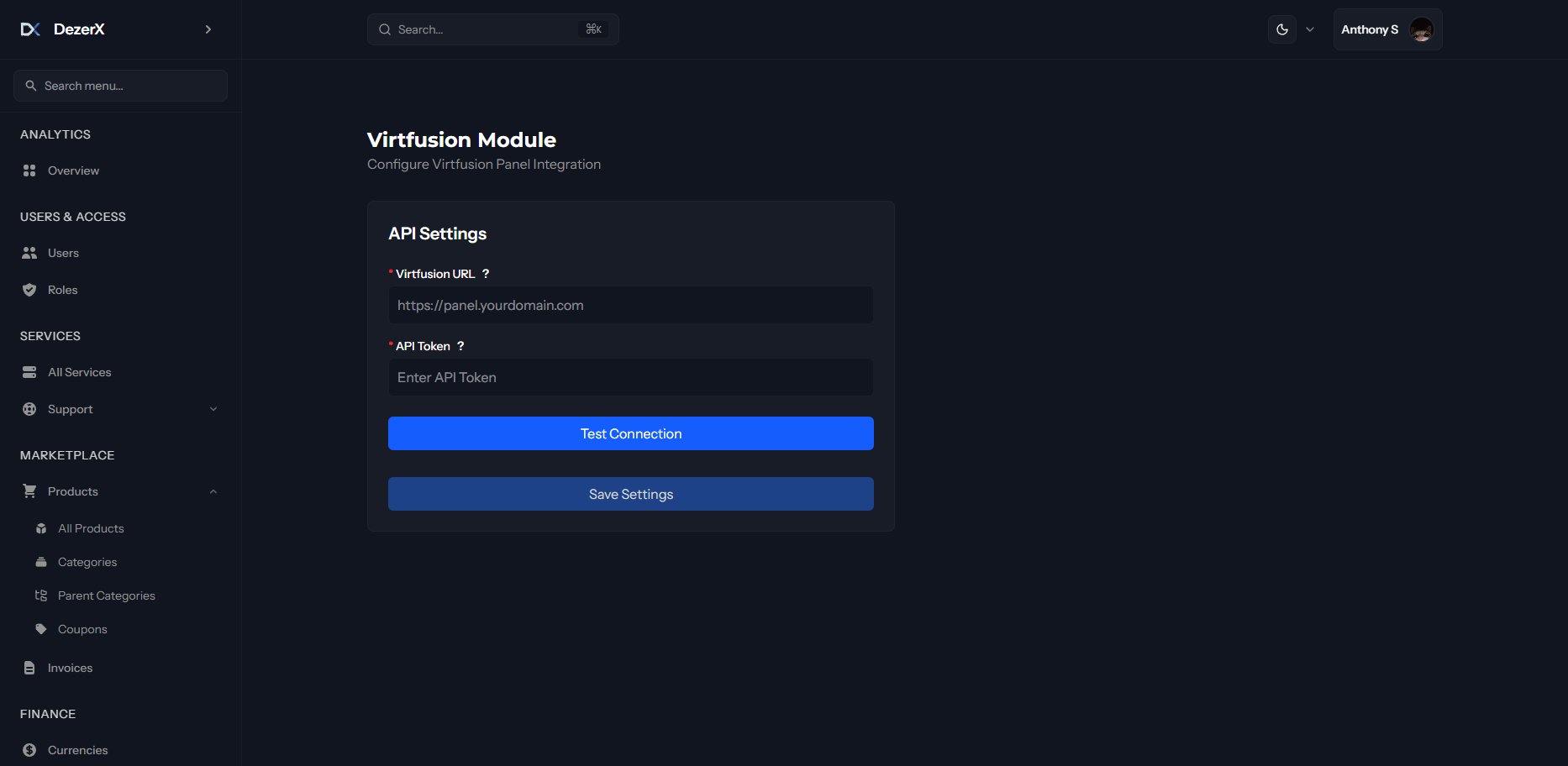 If the test succeeds, your VirtFusion integration is complete and ready to use.