

Configure Bank Wire Transfers
Enable and configure Bank Wire
Set Bank Wire Enabled to Yes, then configure the following fields:
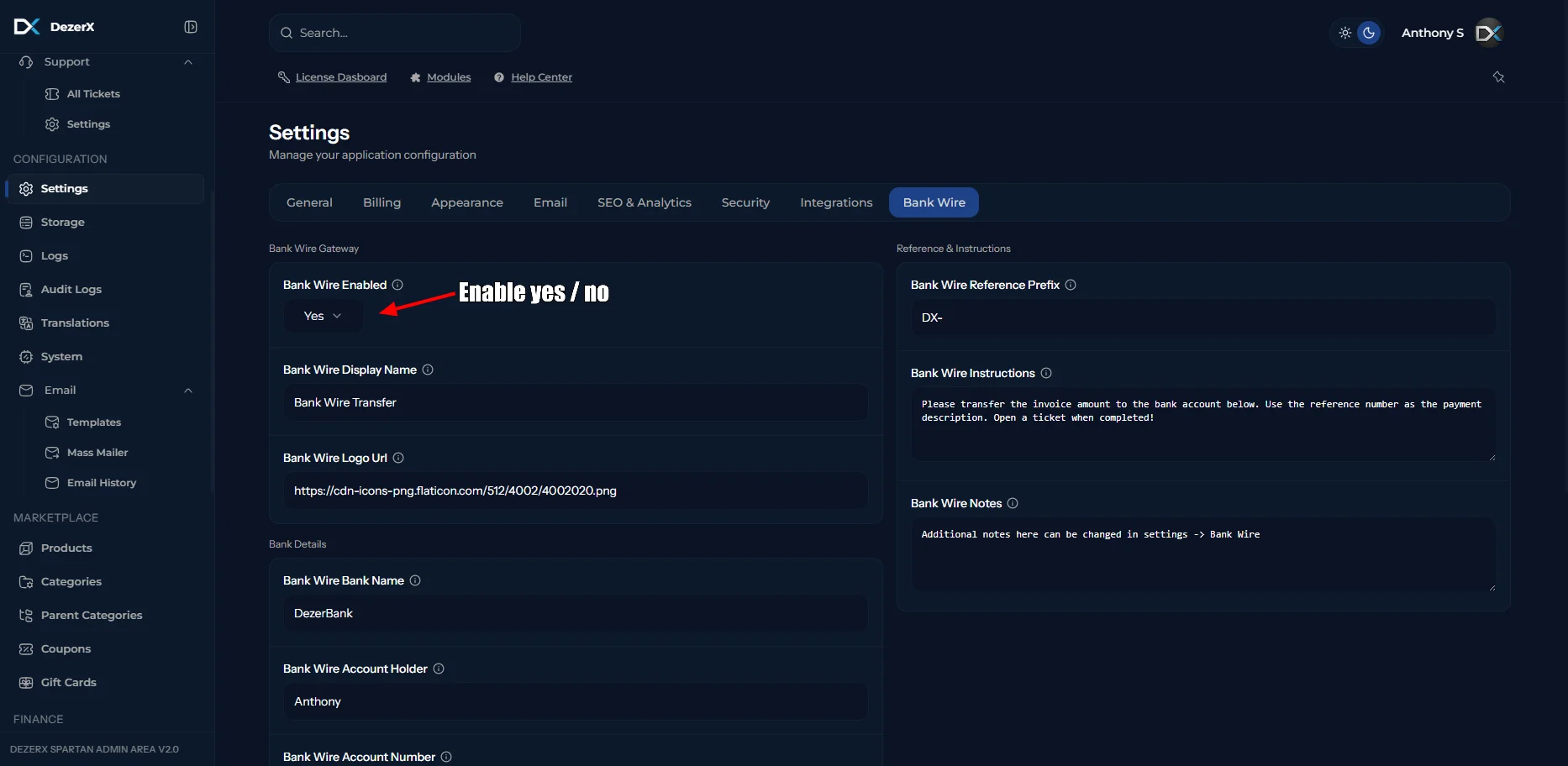
| Field | Description |
|---|---|
| Bank Wire Display Name | The payment method name shown to customers during checkout. |
| Bank Wire Logo URL | The URL of the icon displayed next to the payment method. |
| Bank Wire Bank Name | The name of the bank receiving the transfer. |
| Bank Wire Account Holder | The name of the person or business that owns the bank account. |
| Bank Wire Account Number | The account number customers must use for the transfer. |
| Bank Wire IBAN | The International Bank Account Number used for domestic or international transfers. |
| Bank Wire SWIFT/BIC | The bank identifier required for some international transfers. |
| Bank Wire Routing Number | The routing or clearing number used to identify the receiving bank. |
| Bank Wire Bank Address | The physical address of the receiving bank. |
| Bank Wire Reference Prefix | A prefix added to payment references so transfers can be matched to invoices. |
| Bank Wire Instructions | Instructions shown to customers when they select bank transfer. |
| Bank Wire Notes | Additional information displayed alongside the bank transfer details. |

Replace the example bank details with your actual account information before accepting bank transfer payments.

