

Prerequisites
- Stripe Account
- Access to Stripe Dashboard
- Your application ready for integration
Get API Keys
1
Open the Stripe Dashboard
Go to https://dashboard.stripe.com and log in to your Stripe account.
2
Copy the API keys
In the left sidebar, go to Developers → API keys, then copy your Publishable key and Secret key.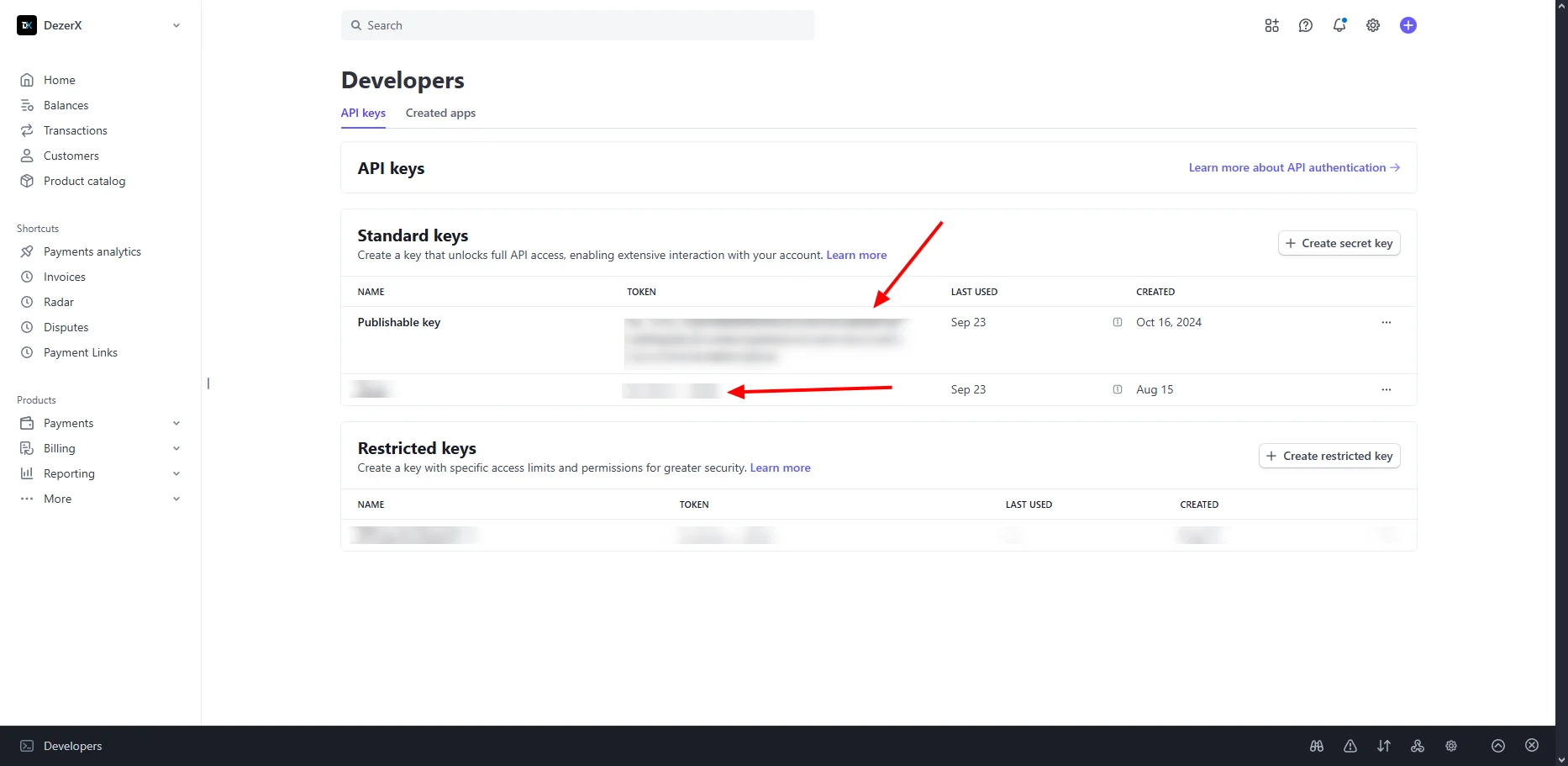
Access Webhook Workbench
1
Open the webhook settings
In the left sidebar, go to Developers → Webhooks.
2
Add a destination
Click Add destination to open the webhook workbench.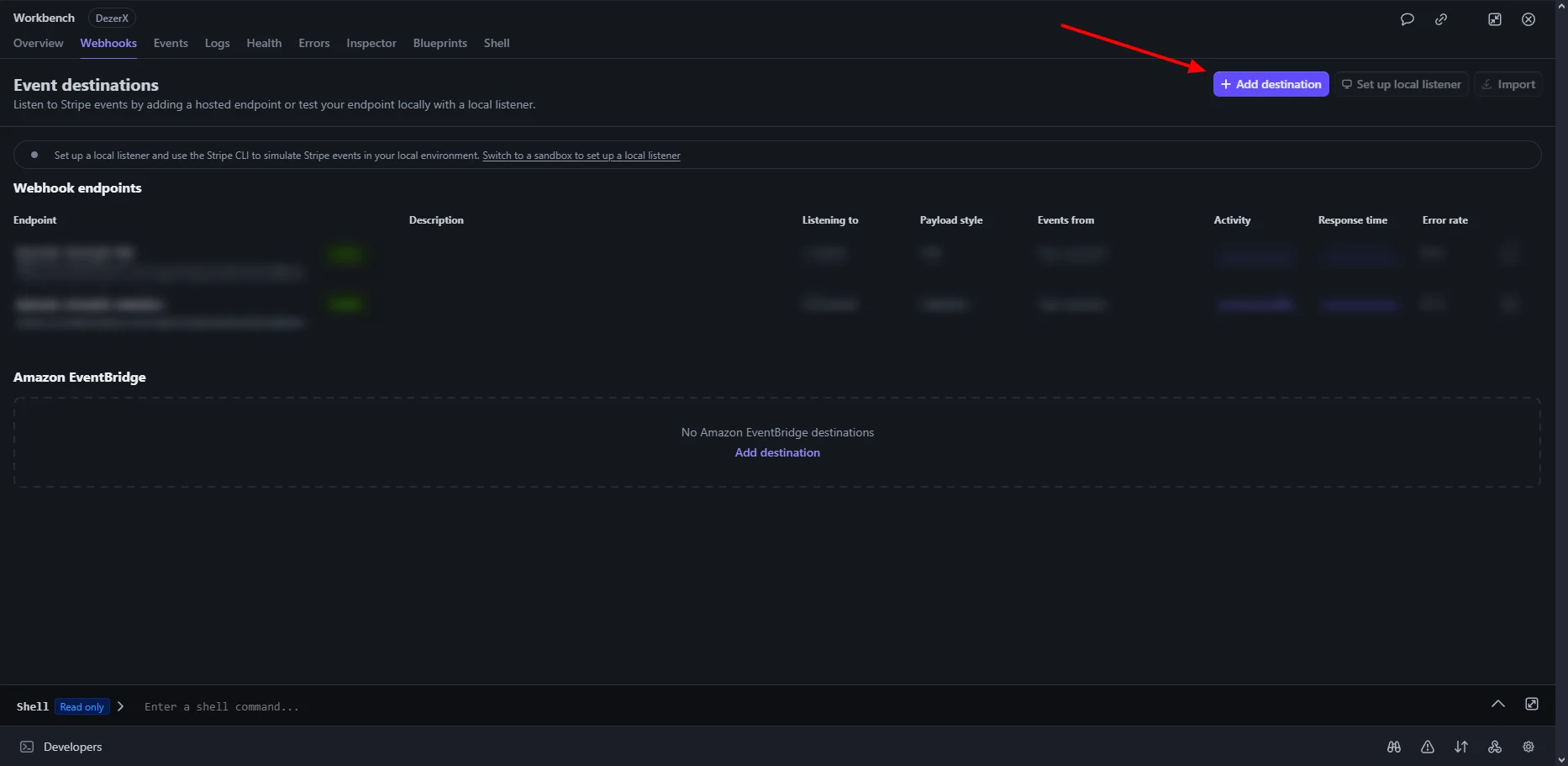
Select Events
1
Select all events
Select All events to monitor all Stripe events, then click Continue.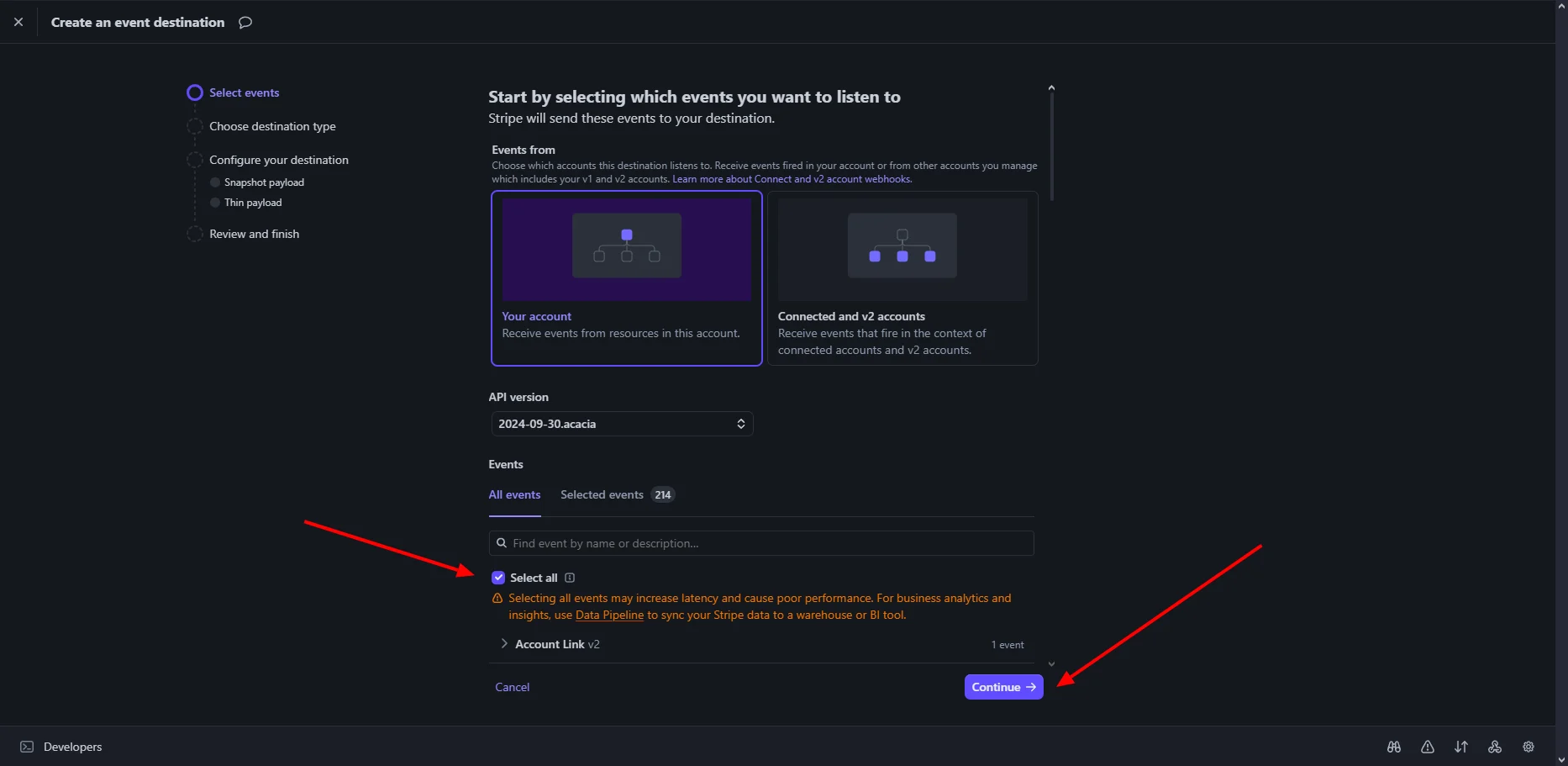
Configure Webhook Endpoint
1
Select Webhook endpoint
Select Webhook endpoint, then click Continue.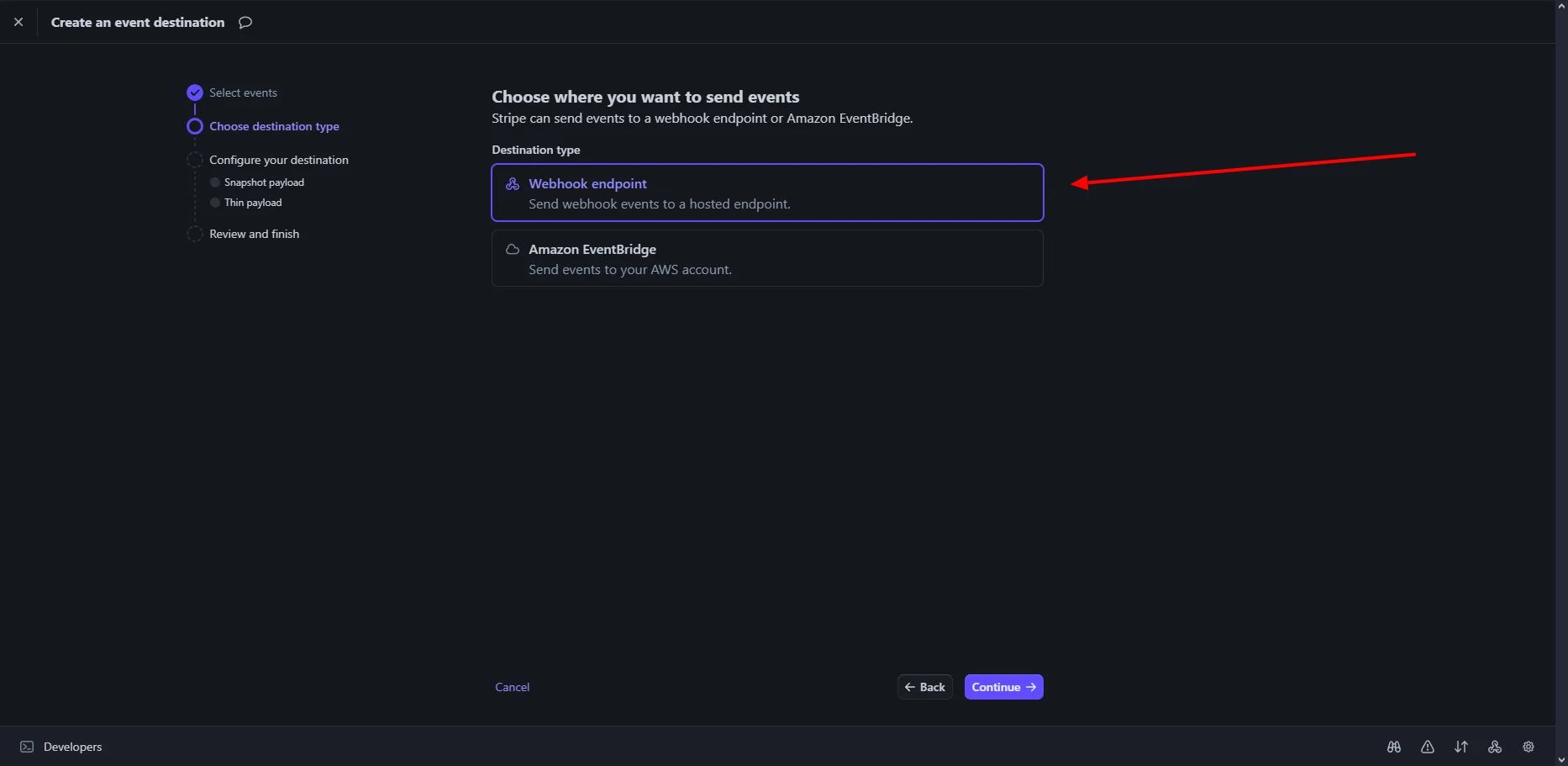
Configure Destination
1
Enter a destination name
Enter a descriptive name for your webhook, such as
My Store Webhook.2
Set the endpoint URL
The endpoint URL must end with
/api/public/gateways/stripe/webhook/callback.For example:3
Create the webhook
Review the configuration and click Continue to create the webhook.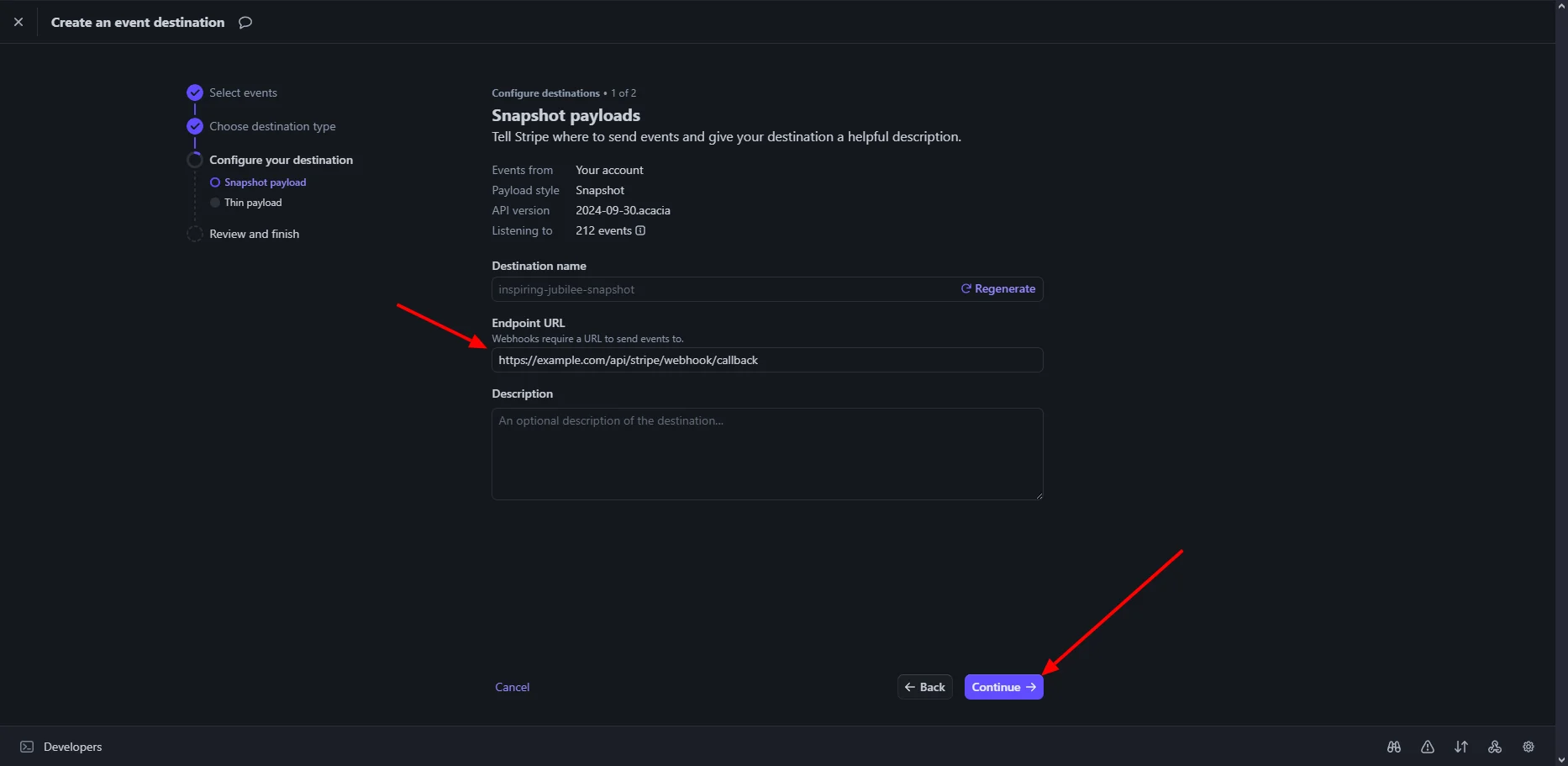
Webhook Created Successfully
1
Review the webhook details
After creating the webhook, review its details and copy the webhook endpoint URL.
Add Stripe to Spartan
1
Open the Stripe gateway
Log in to Spartan as an administrator, then go to Modules → Gateways → Stripe.
2
Configure Stripe
Enter your Stripe credentials and webhook details, then click Save Settings.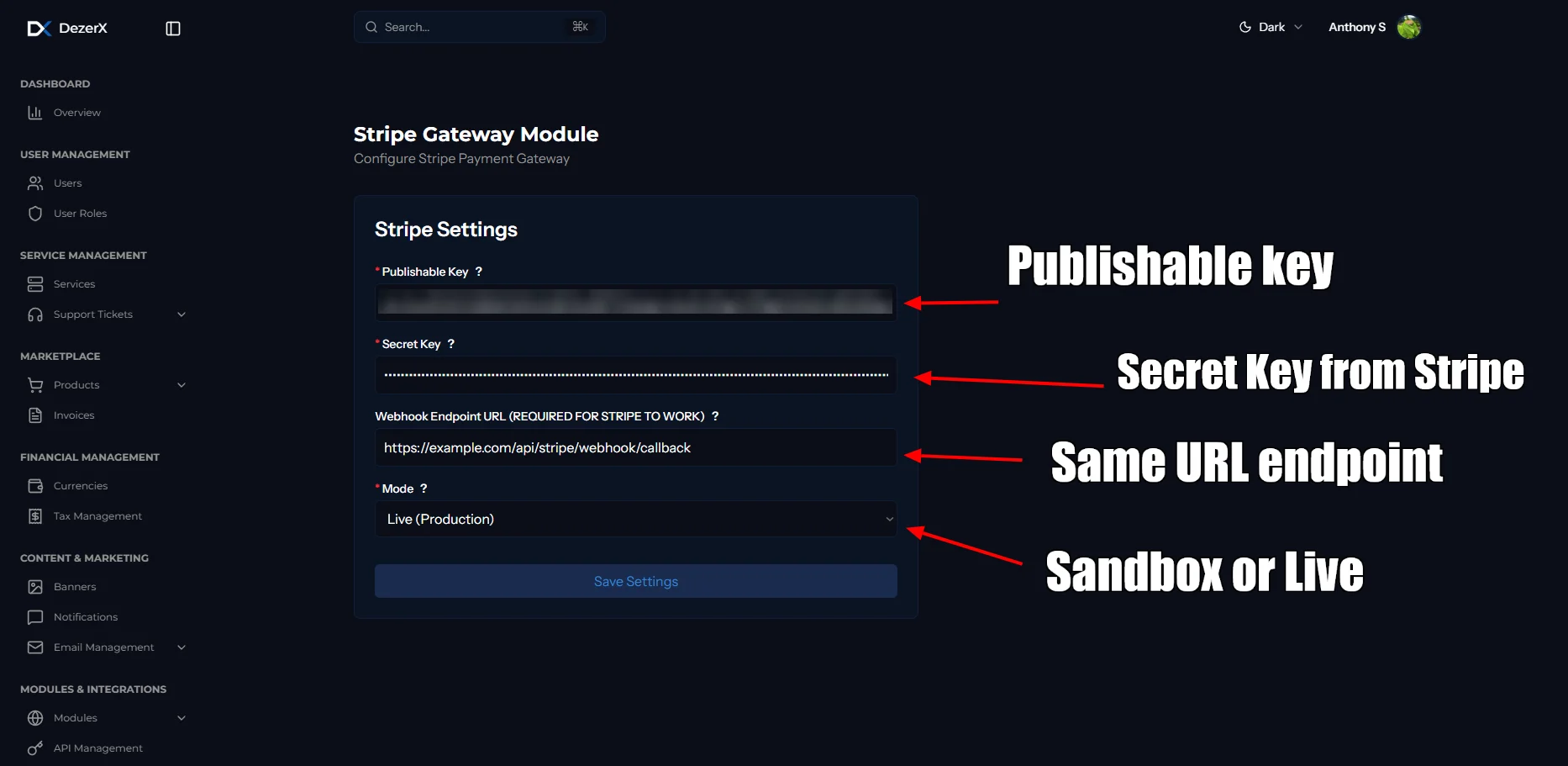
Troubleshooting
Common Issues
-
Invalid Credentials
- Verify Publishable Key and Secret Key are correct
- Ensure you’re using the right environment (test/live)
-
Webhook Not Receiving Events
- Check webhook URL is accessible
- Verify webhook endpoint URL ends with
/api/public/gateways/stripe/webhook/callback - Verify webhook is enabled and configured correctly
- Check your server logs for errors
-
Payment Failures
- Verify your Stripe account is in good standing
- Check if the payment amount is within limits
- Ensure all required fields are provided