- Have $50+ in Namecheap account credit
- Have at least 20 active domains in your Namecheap account
Access Namecheap API Settings
1
Log in to Namecheap
Log in to your Namecheap account.
2
Open the API settings
Go to Profile → Tools, then click Manage under Business & Dev Tools.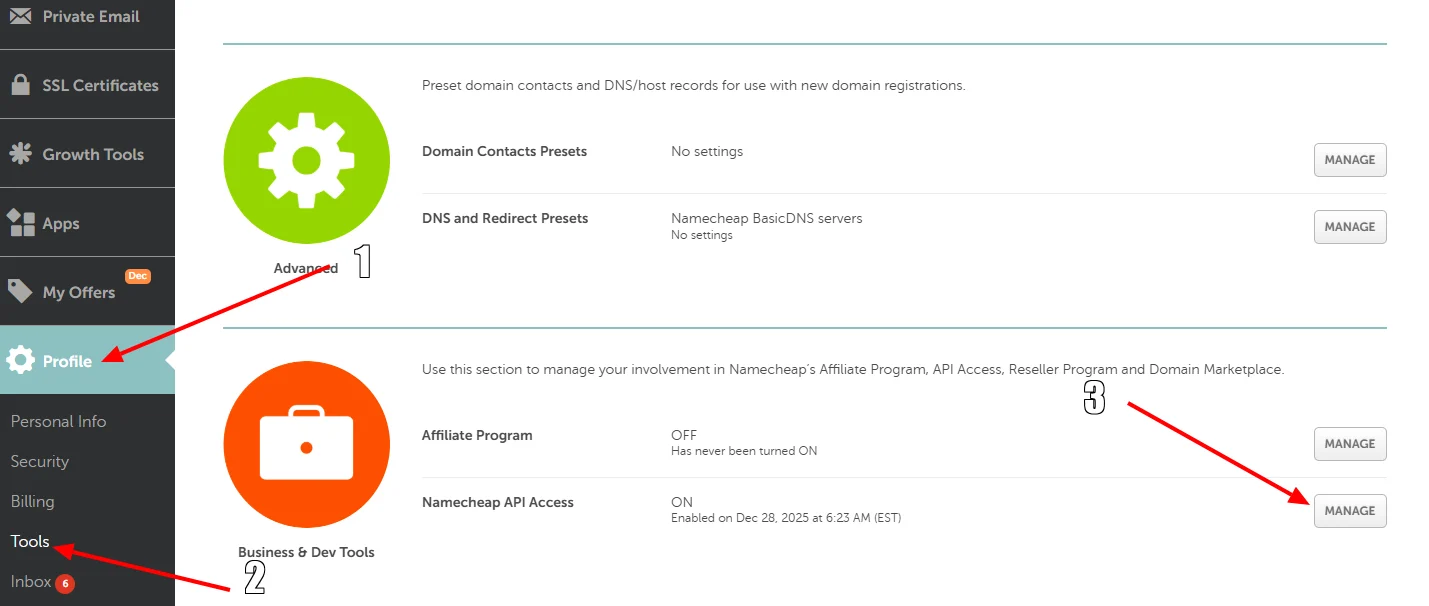
Enable the Namecheap API
1
Enable API access
Enable the Namecheap API.
2
Copy the API token
Copy your API token and store it securely.
3
Whitelist the Spartan IP address
Whitelist the IP address of your DezerX Spartan instance, then click Done to save your changes.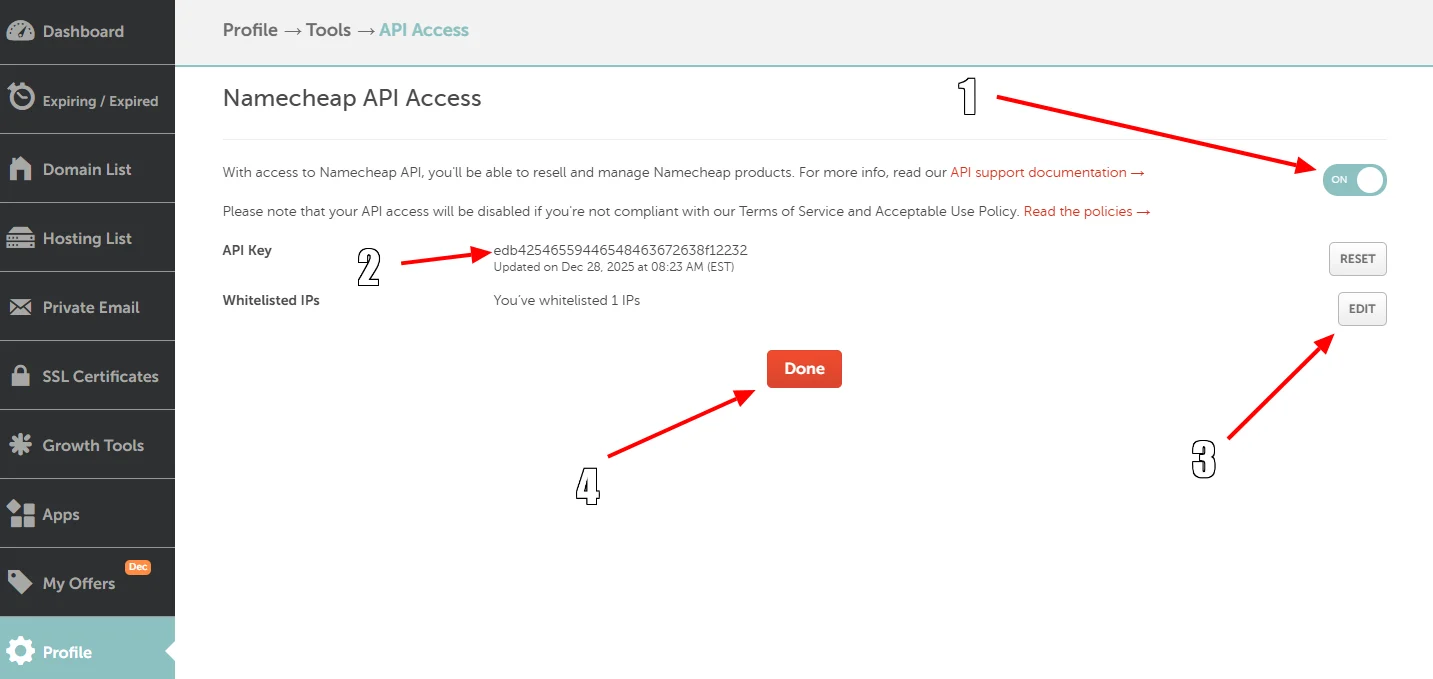
Configure DezerX Spartan
1
Open the service modules
Open DezerX Spartan and go to Admin → Modules → Services.
2
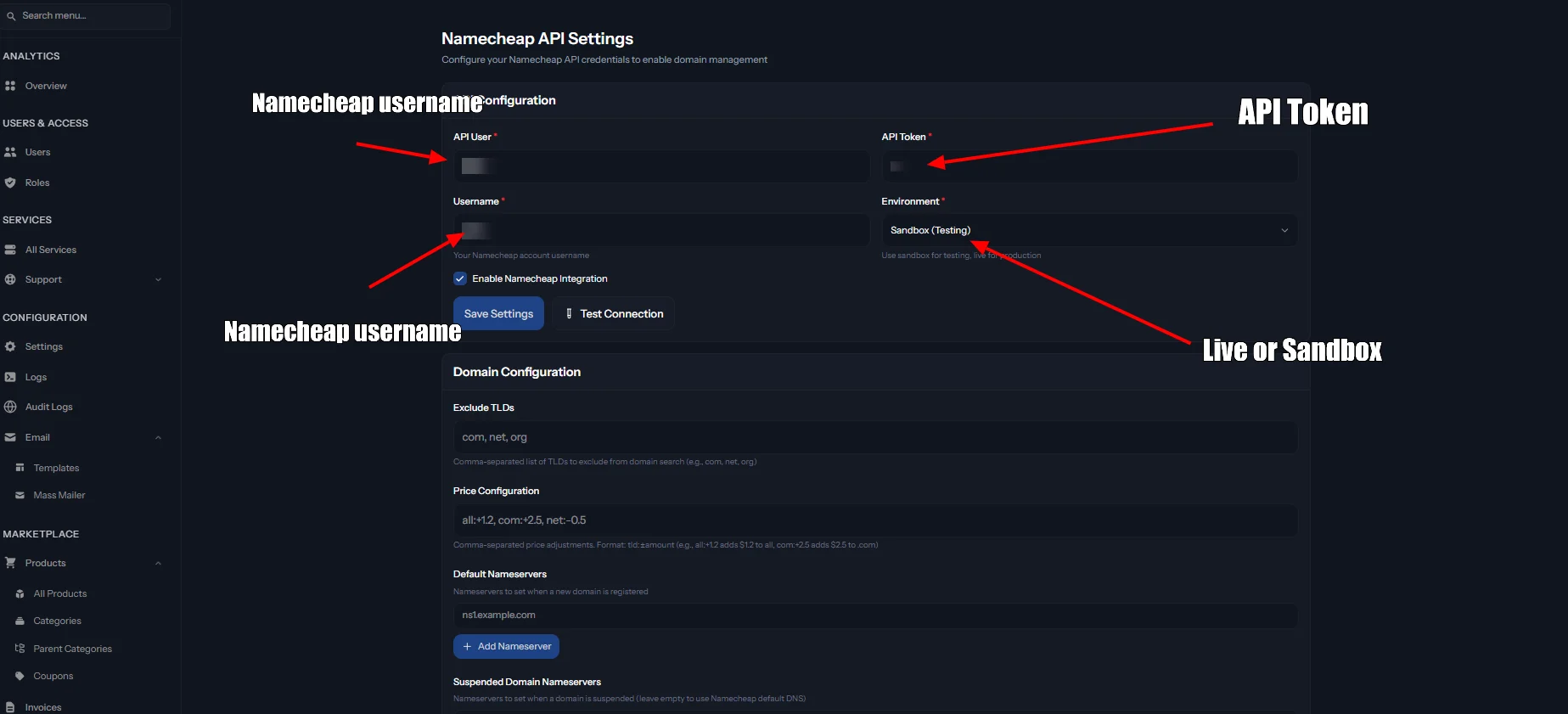
Configure Namecheap
Select the Namecheap service and fill in all required fields using your Namecheap API details.