

Prerequisites
- Tebex Account
- Access to Tebex Creator Dashboard
- Your application ready for integration
Access Tebex API Keys
1
Open the Tebex API keys
Open your Tebex Creator Dashboard and click API Keys in the left sidebar.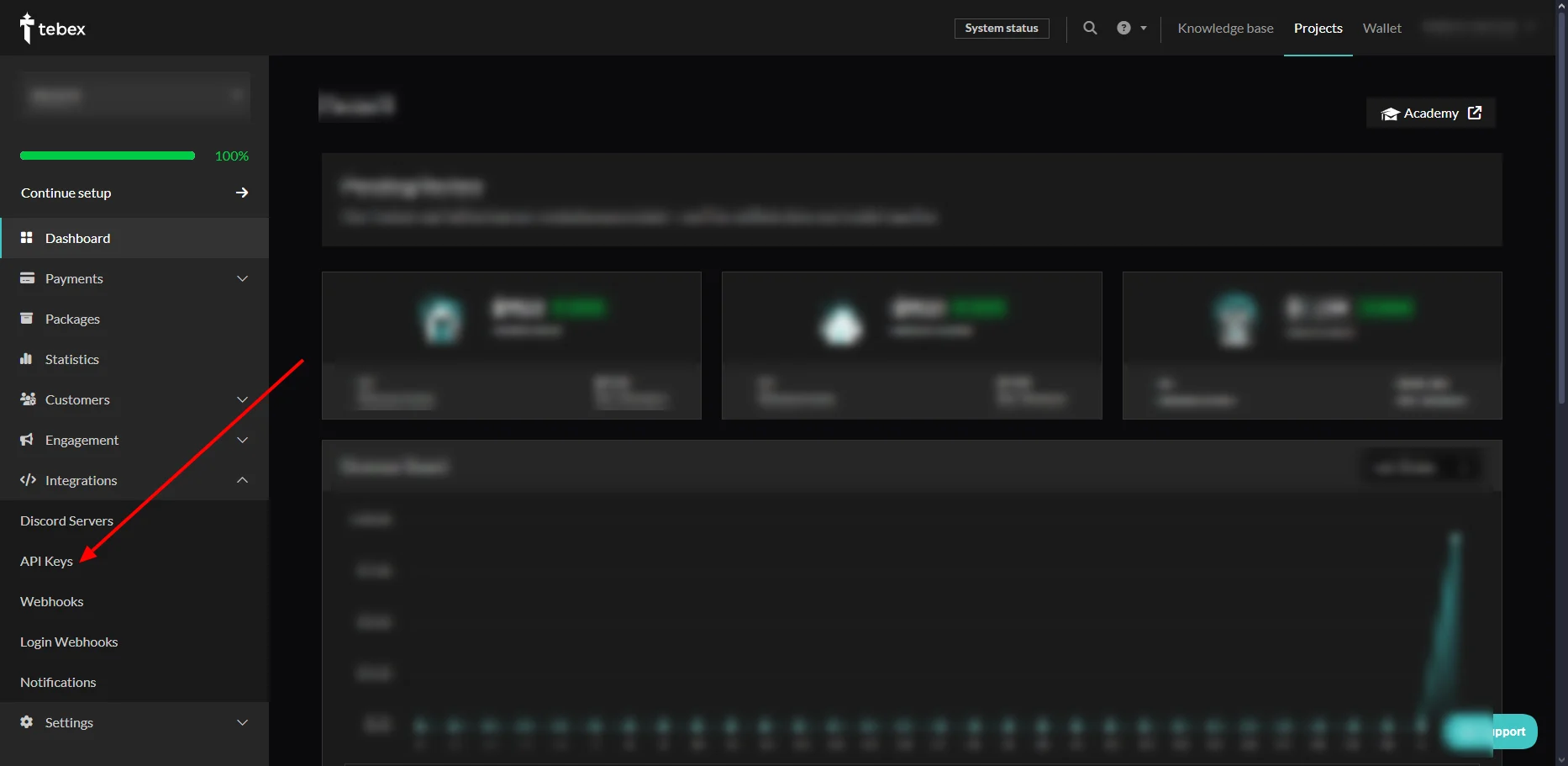
Get Your Credentials
1
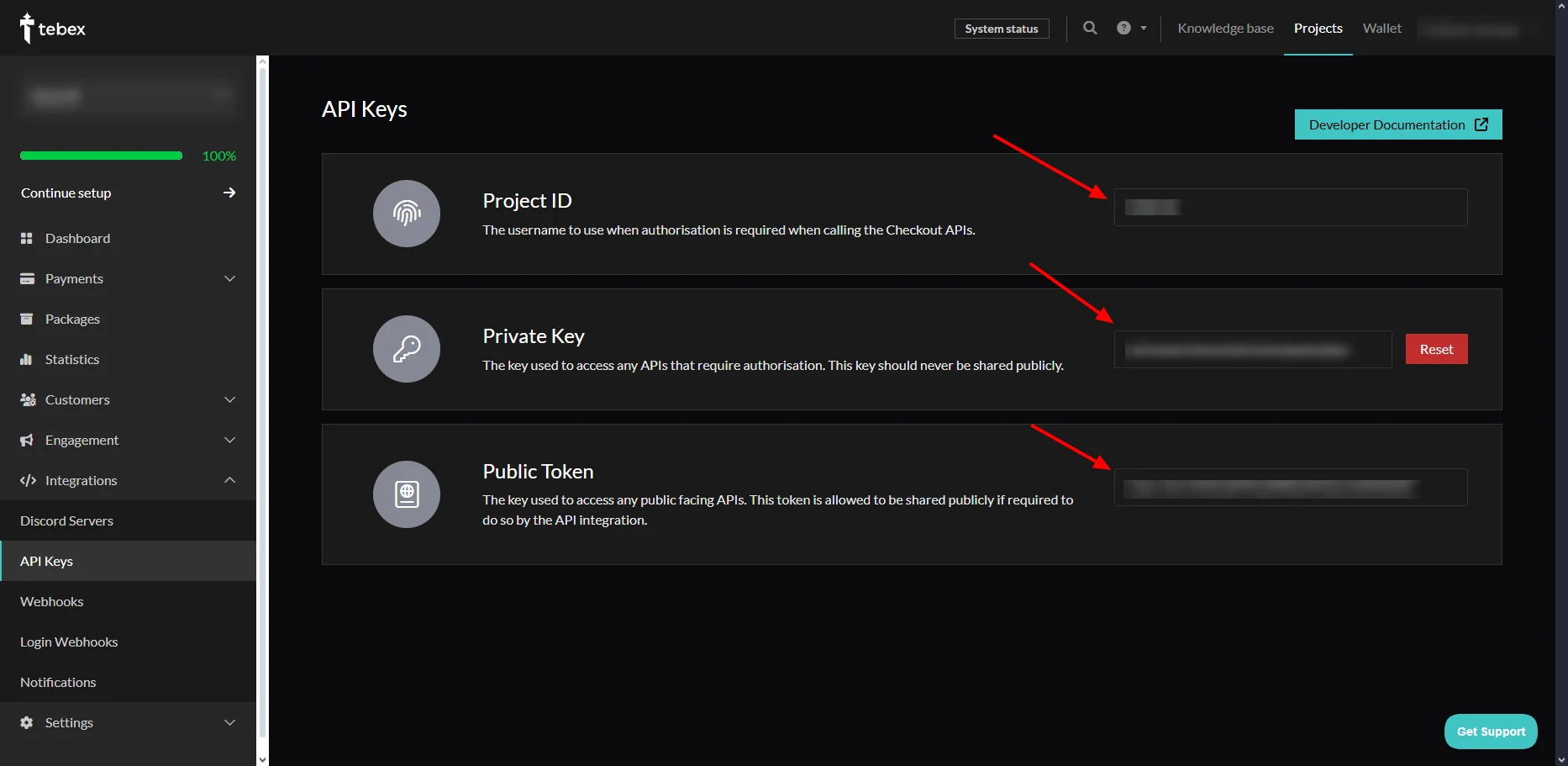
Copy the required credentials
- Project ID: Copy your unique project identifier.
- Public Token: Copy the public token.
- Private Key: Copy the secret key and keep it secure.
Create Webhook
1
Open the webhook settings
Navigate to the webhook section in your Tebex dashboard and create a new webhook endpoint.
2
Set the webhook URL
The webhook URL must end with 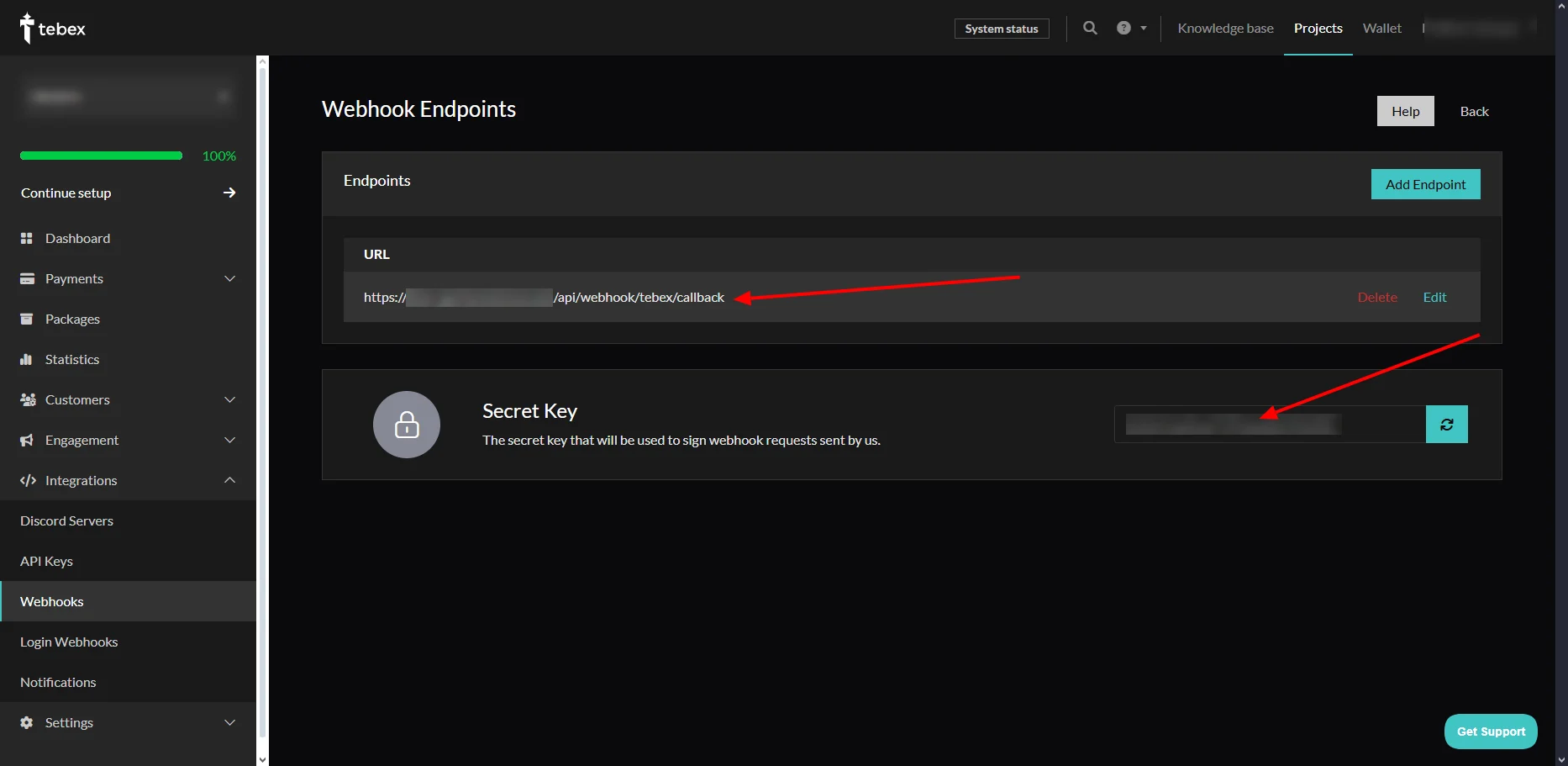
/api/webhook/public/gateways/tebex/callback.For example:Add Tebex to Spartan
1
Open the Tebex gateway
Log in to Spartan as an administrator, then go to Modules → Gateways → Tebex.
2
Enter the Tebex credentials
Enter the following credentials: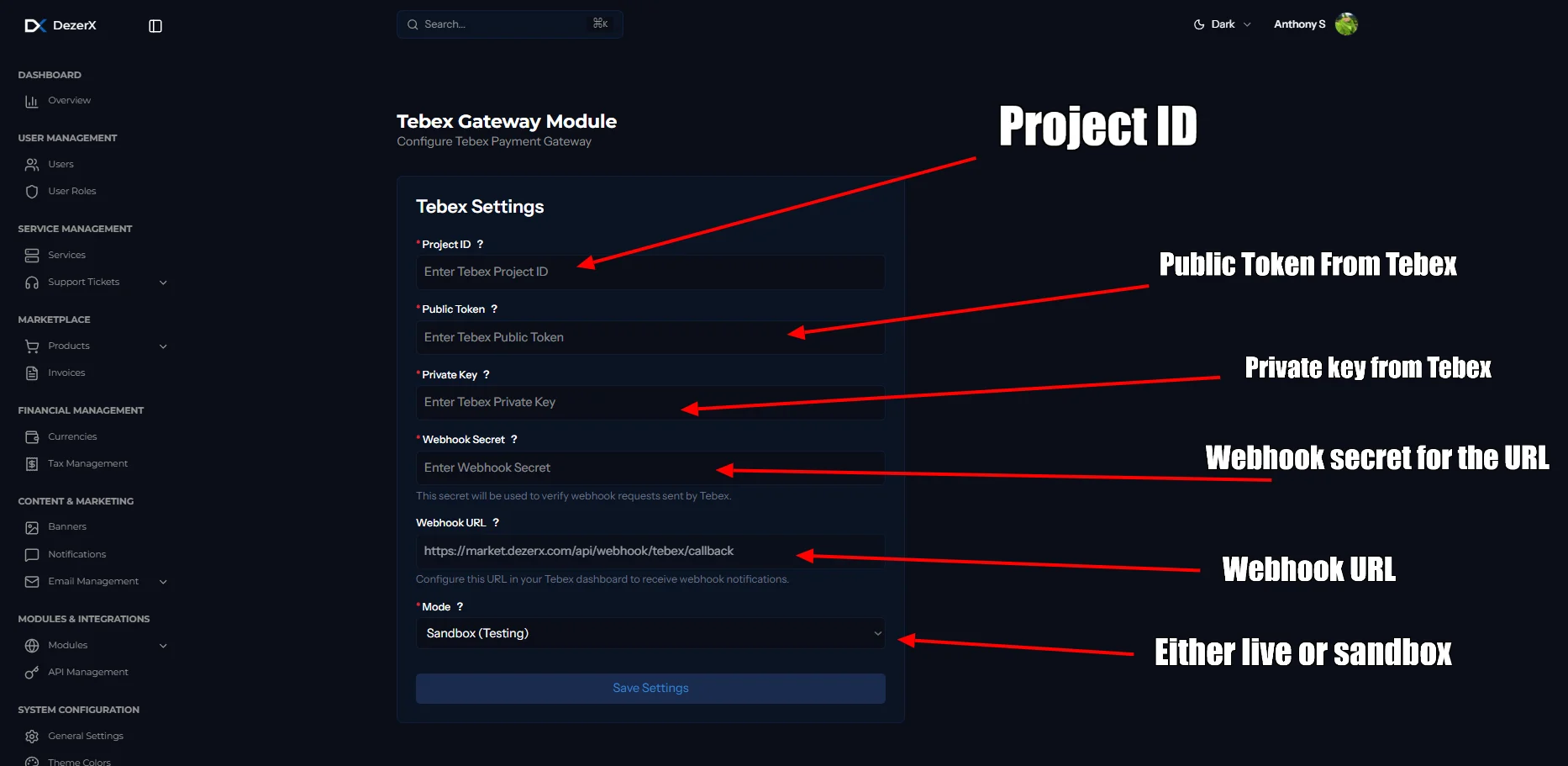
- Project ID: The Project ID copied from Tebex.
- Public Token: The Public Token copied from Tebex.
- Private Key: The Private Key copied from Tebex.
- Webhook Secret: The secret generated for the Tebex webhook.
Troubleshooting
Common Issues
-
Invalid Credentials
- Verify Project ID, Public Token, and Private Key are correct
- Ensure there are no extra spaces when copying credentials
-
Webhook Not Receiving Events
- Check webhook URL ends with
/api/webhook/public/gateways/tebex/callback - Verify webhook URL is accessible publicly
- Check your server logs for errors
- Make sure your webhook is validated inside Tebex
- Check webhook URL ends with
-
Payment Processing Failures
- Check Webhook.