

Configuring VirtFusion.
1
Open the VirtFusion API settings
Log in to your VirtFusion admin panel and go to System → API.
2
Create an API token
Click Create Token, follow the prompts, and then click Next.
3
Copy the API token
Copy the generated API token and store it securely.
Configure DezerX
1
Open the VirtFusion settings
Open the VirtFusion settings in DezerX.
2
Enter the connection details
Enter the following details:
- VirtFusion API Key: the token you copied earlier.
-
VirtFusion URL: your VirtFusion installation URL.
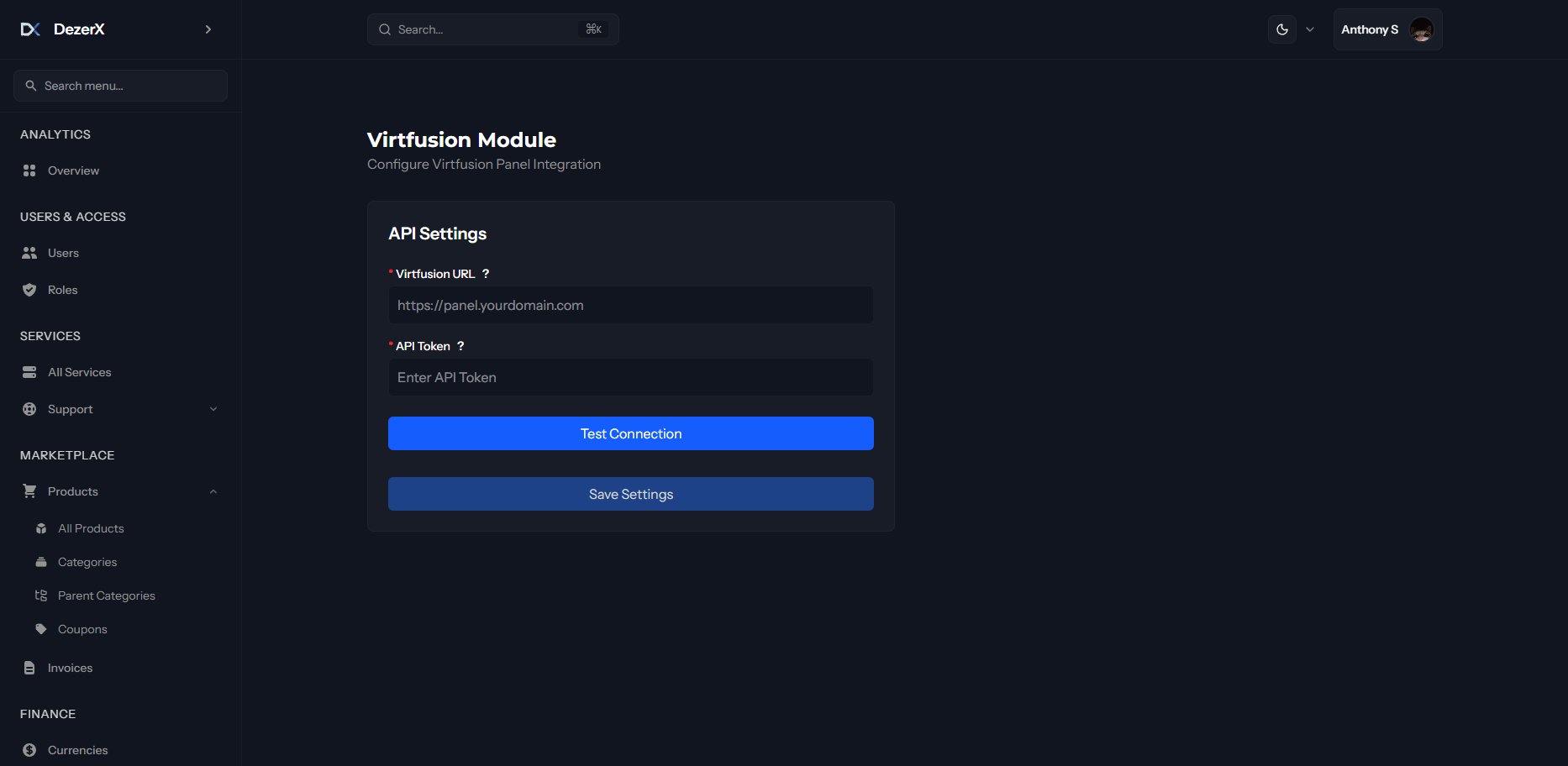
If the test succeeds, your VirtFusion integration is complete and ready to use.