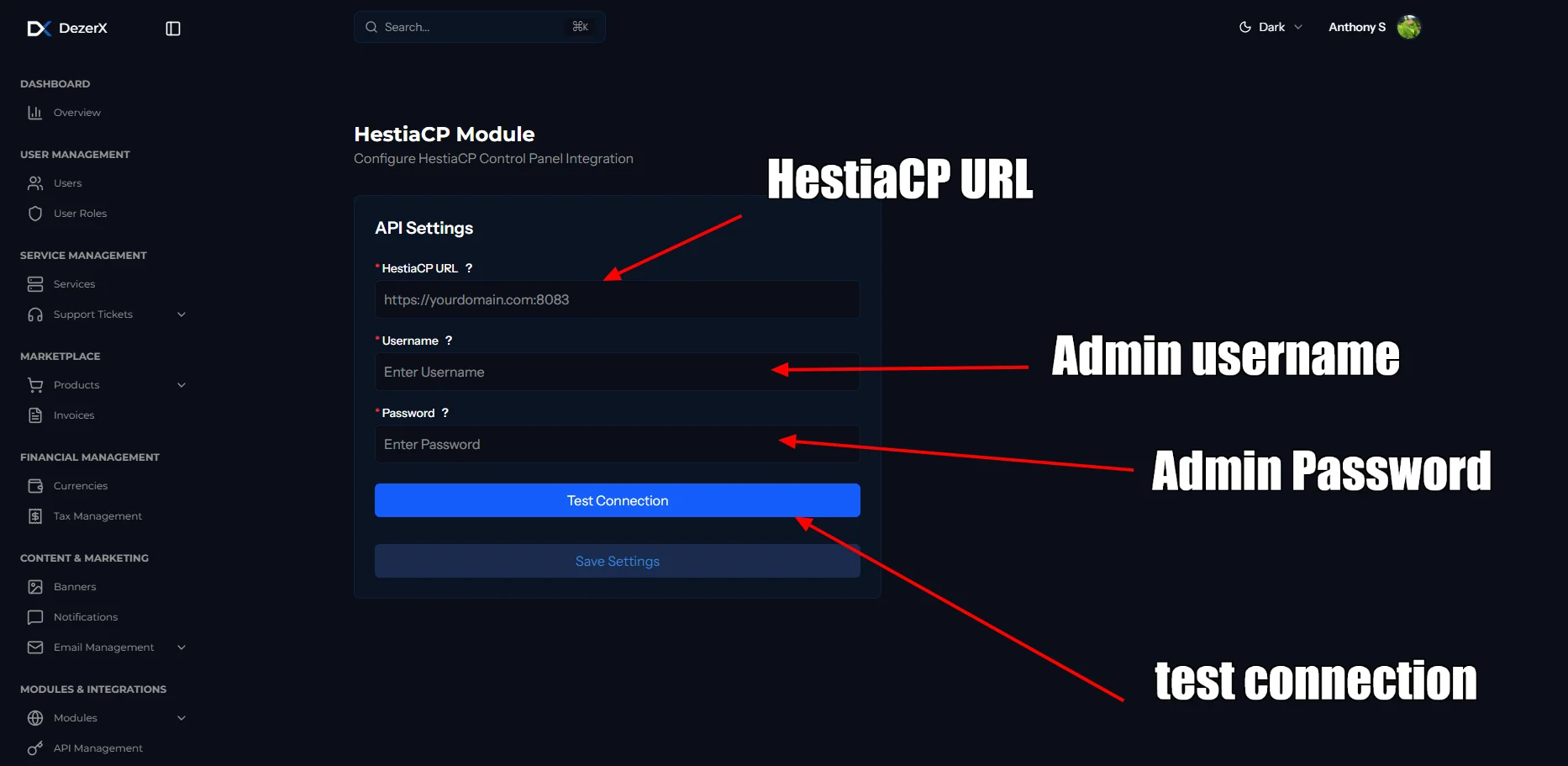
Configuring HestiaCP.
1
Log in to HestiaCP
Log in to your HestiaCP admin panel using your administrator credentials.
2
Open the API settings
Go to Server → Settings in the HestiaCP admin panel and find the API settings section.
3
Enable API access
Enable the API functionality if it is not already enabled, then note your HestiaCP URL (usually
https://your-hestia-domain.com).Whitelist Spartan IP Address
To allow DezerX to connect to your HestiaCP instance, you need to whitelist the DezerX Spartan’s server’s IP address:1
Find the Spartan server IP address
Check your server’s public IP address. DezerX will use this address to make API calls to HestiaCP.
2
Add the IP address to the whitelist
In the HestiaCP admin panel, go to Server → Configuration, add your DezerX server’s IP address to the allowed list, and ensure it is permitted for API access.
Configure the HestiaCP Module
1
Open the HestiaCP module
Go to Admin → Modules → HestiaCP and enter the required connection details.