

Prerequisites
- PayPal Business Account
- Access to PayPal Developer Dashboard
- Your application ready for integration
Access PayPal Developer Dashboard
1
Open the PayPal Developer Portal
Go to https://developer.paypal.com, click Log In, and sign in with your PayPal Business account credentials.
2
Open the Developer Dashboard
After logging in, open the PayPal Developer Dashboard, where you can manage applications and credentials.
Create a New Application
1
Open My Apps & Credentials
In the left sidebar, click My Apps & Credentials, then click Create App.
2
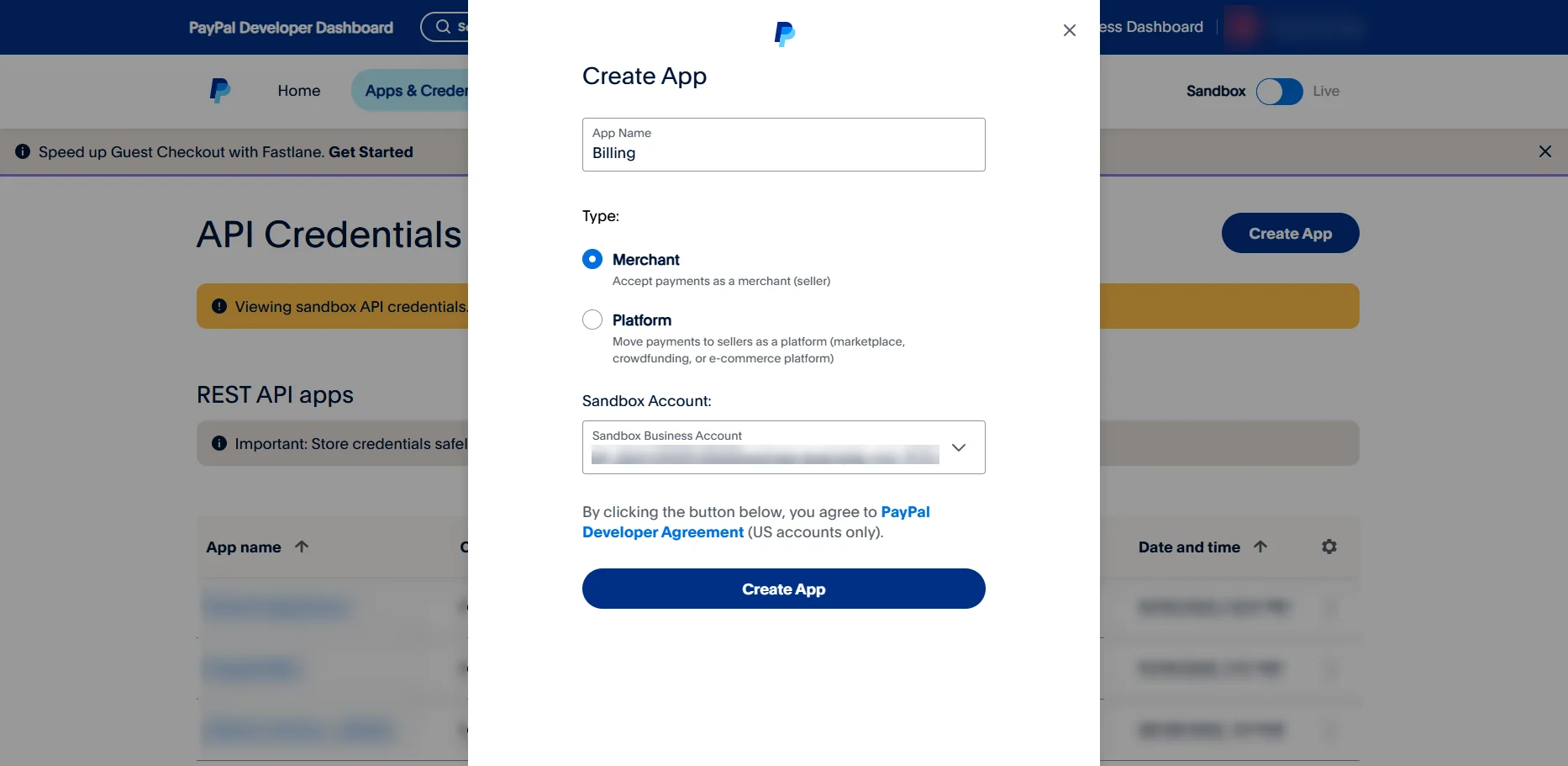
Configure the application
-
App Name: Enter a descriptive name, such as
My Store Payment Gateway. -
Type: Select Merchant (default).
Create a Webhook
1
Add a webhook
Scroll to the end of the application settings and click Add Webhook.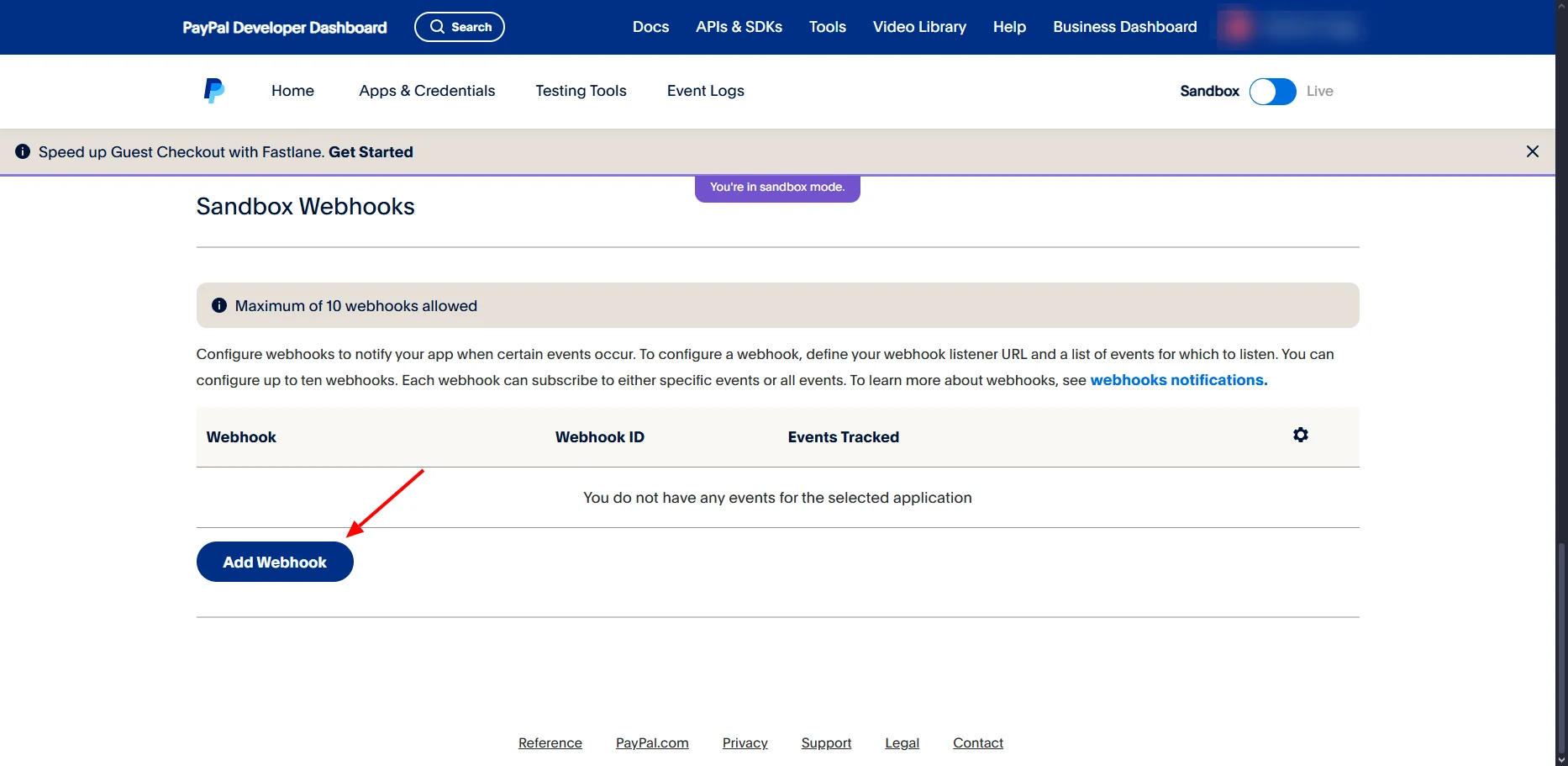
Select Webhook Events
1
Select all events
Select All events, scroll down, and click Create.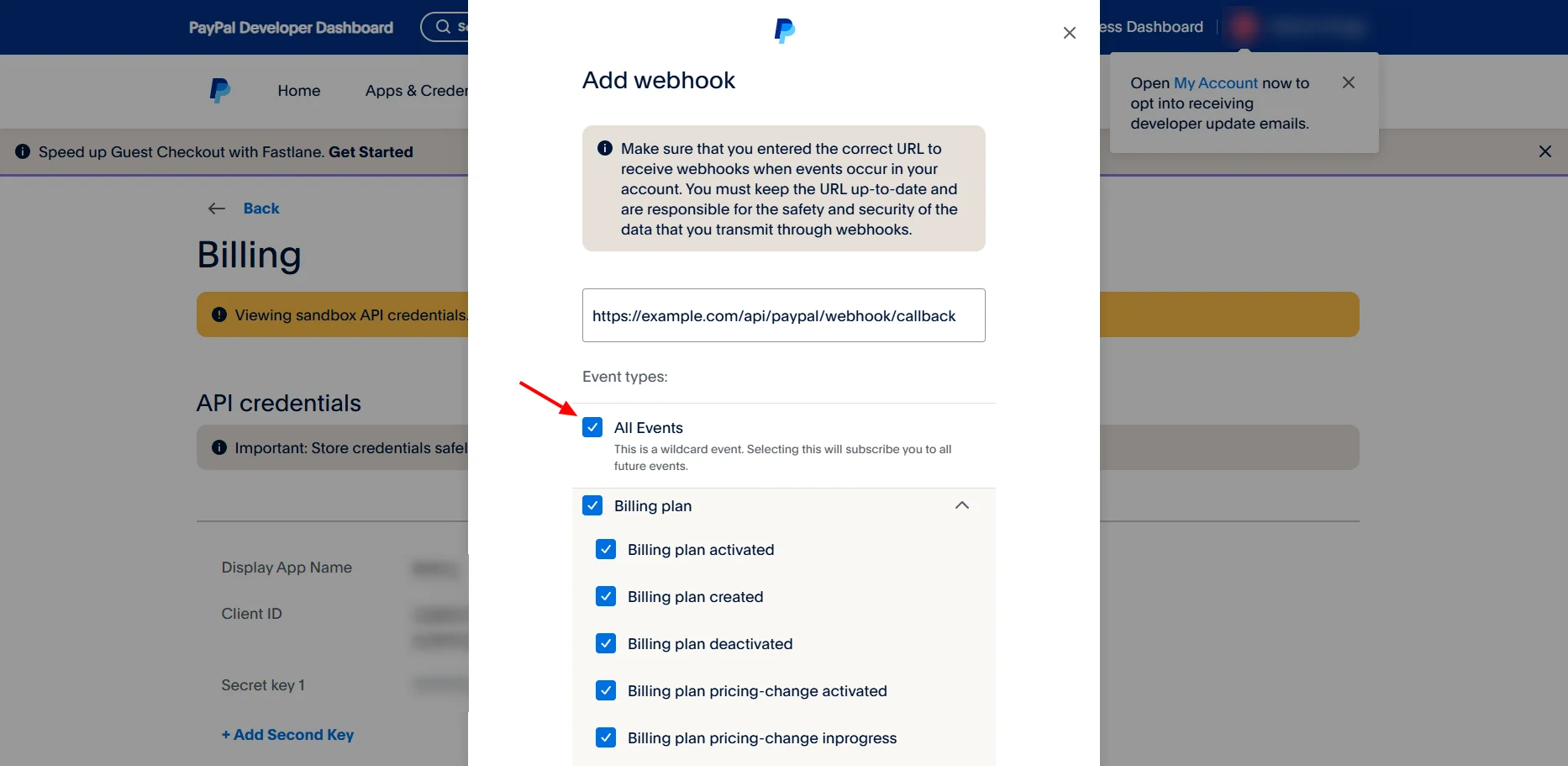
Get Webhook ID
1
Confirm the webhook was created
After creating the webhook, confirm that it appears in the webhooks list.
2
Copy the Webhook ID
Find your webhook and copy its Webhook ID, such as 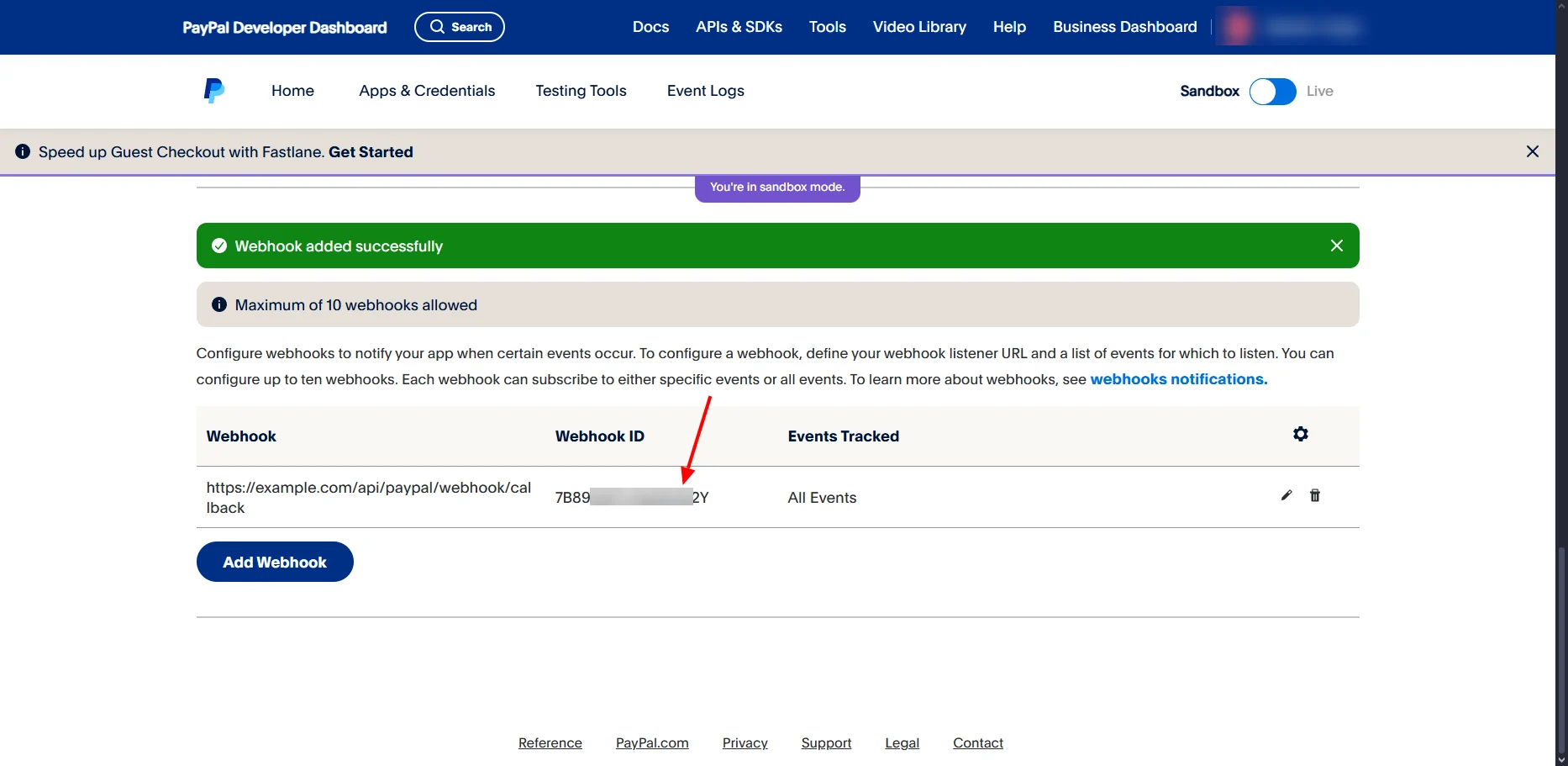
7B89XXXXXX2Y. This ID is required for webhook verification.Get Client Credentials
1
Open the app credentials
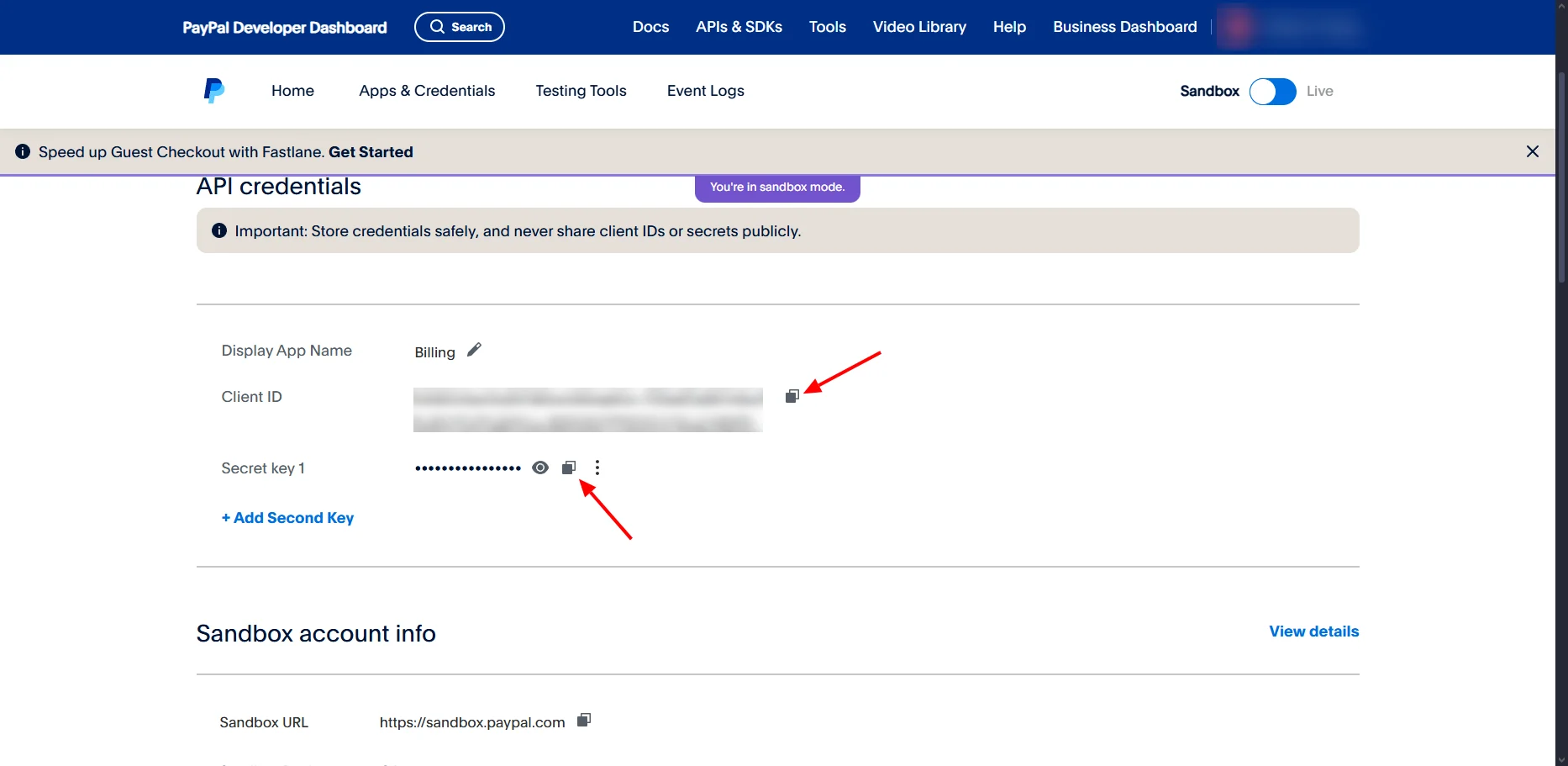
Return to your app dashboard and click the Credentials tab.
2
Copy the Client ID and Secret
- Client ID: Copy the public identifier.
- Client Secret: Copy the private key and keep it secure.
Add PayPal to Spartan
1
Open the PayPal gateway
Log in to Spartan as an administrator, then go to Modules → Gateways and select PayPal, not PayPal IPN.
2
Configure PayPal
Enter the PayPal credentials and Webhook ID, then click Save Settings.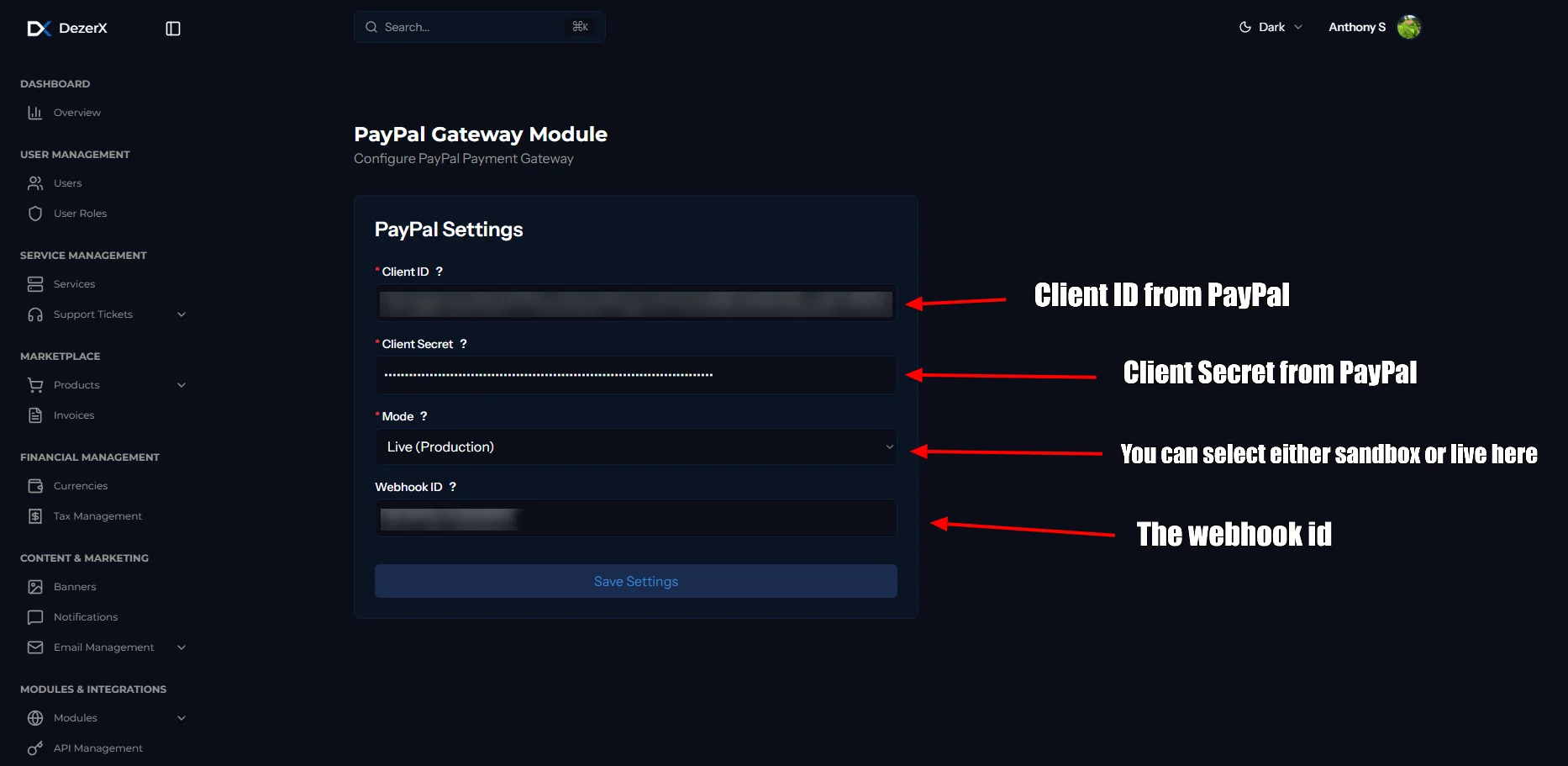
Troubleshooting
Common Issues
-
Invalid Credentials
- Verify Client ID and Client Secret are correct
- Ensure you’re using the right environment (sandbox/live)
-
Webhook Not Receiving Events
- Check webhook URL is accessible
- Verify webhook is enabled and configured correctly
- Check your server logs for errors
- Make sure your domain is not flagged. ( Check PayPal for more info )