Prerequisites
- PayPal Account
- Access to your PayPal account settings
Enable PayPal Instant Payment Notifications
1
Enable Instant Payment Notifications
Enable PayPal Instant Payment Notifications in your PayPal account settings.
2
Set the notification URL
Set the notification URL to:Replace 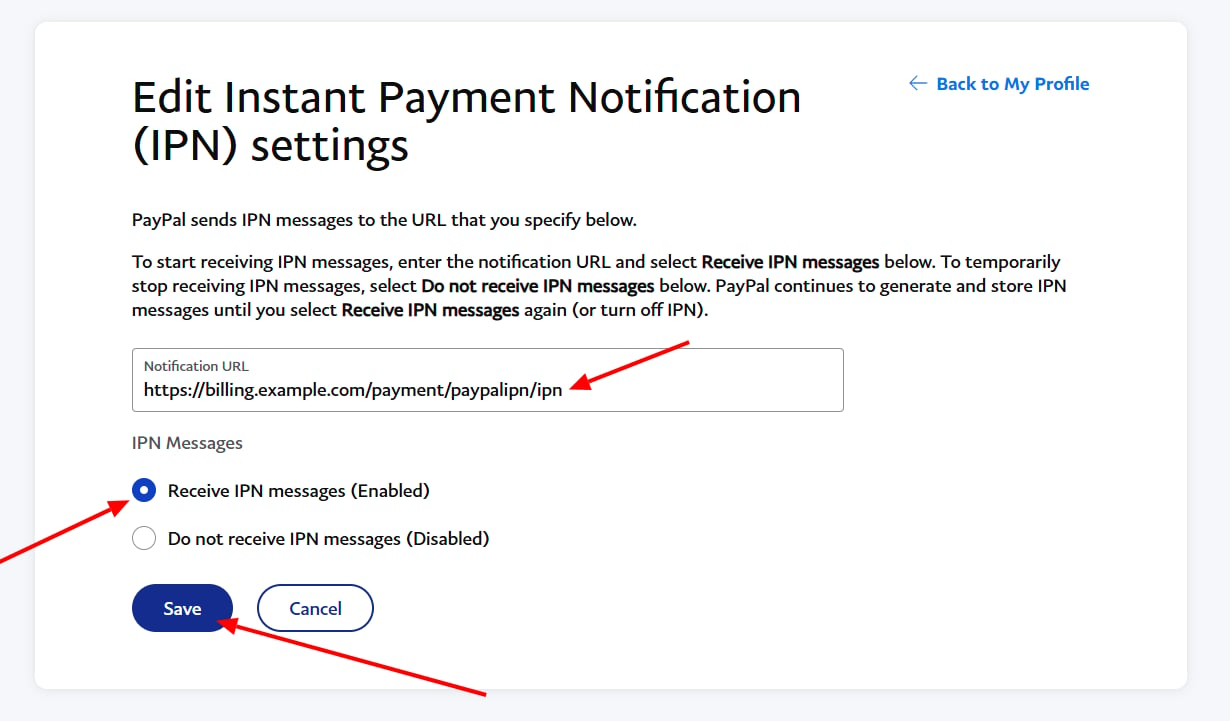
billing.example.com with your billing domain.Configure PayPal IPN in Spartan
1
Open the PayPal IPN gateway
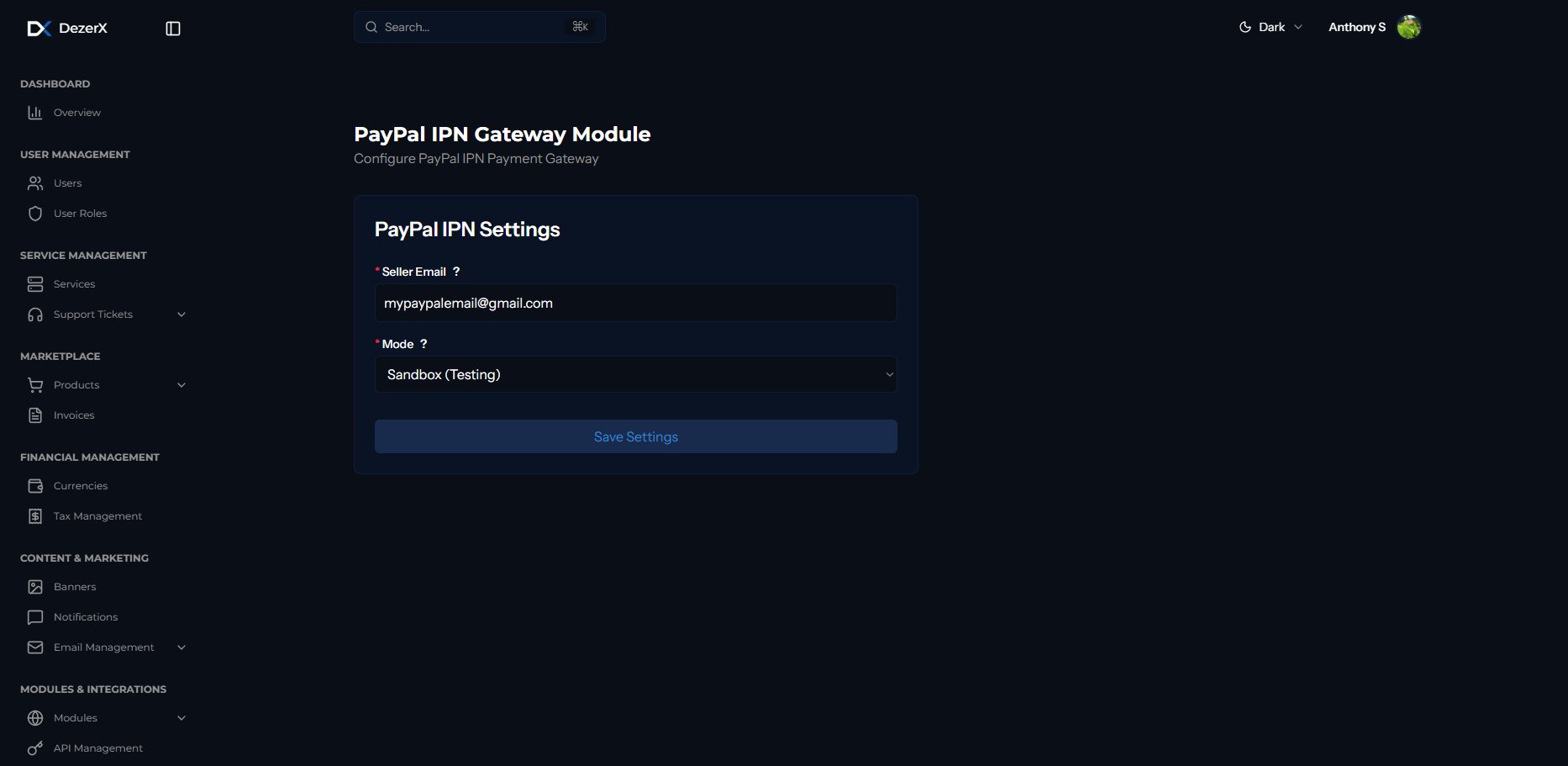
Log in to Spartan with an administrator account, then go to Modules → Payment Gateways → PayPal IPN.
2
Configure PayPal IPN
Enter your PayPal email address, select whether the account uses sandbox or live mode, and save the settings.