Configuring cPanel.
1
Log in to WHM
Log in to WHM using your administrator credentials.
2
Get API credentials
Open the Manage API Tokens tab and create or copy your API credentials.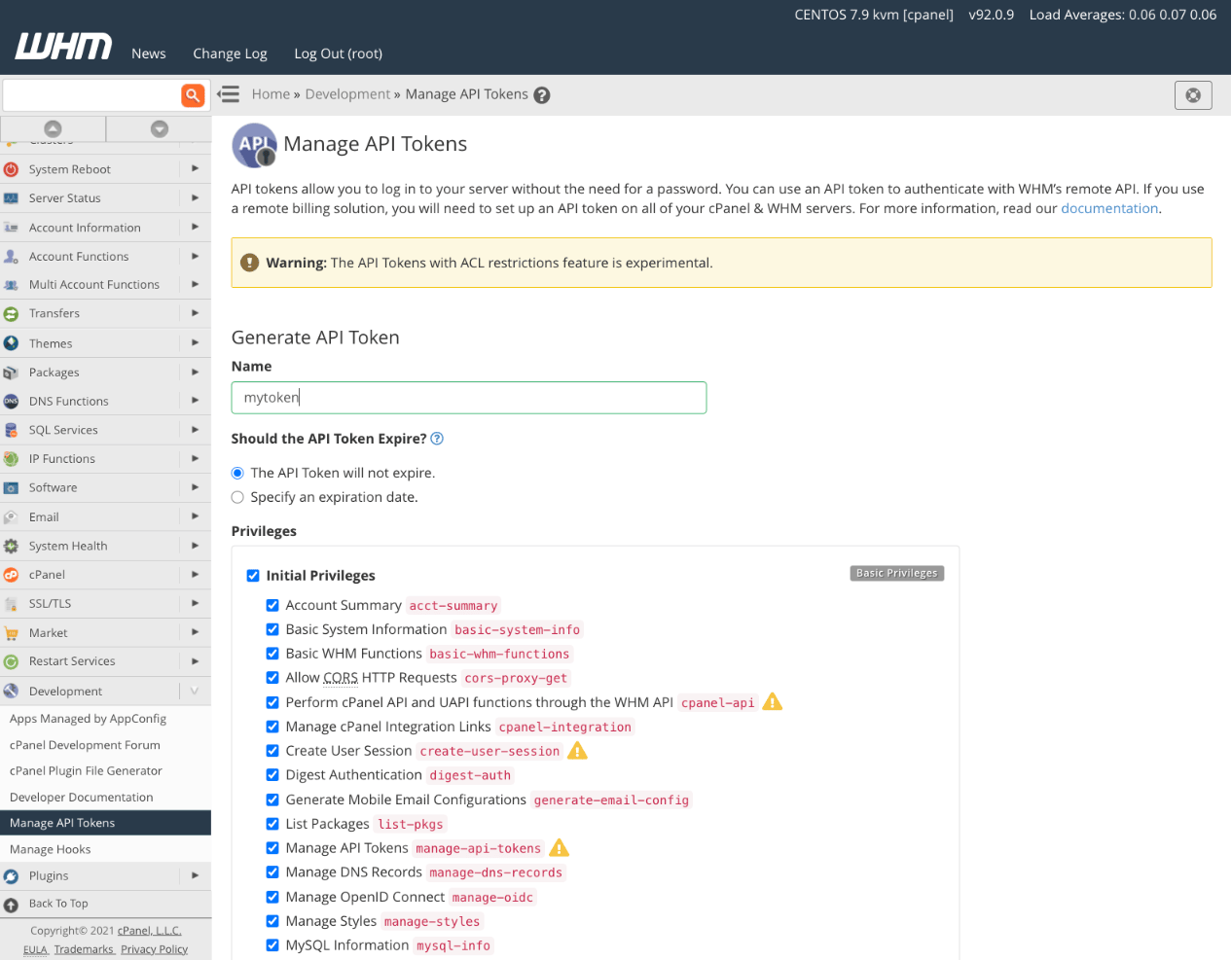
Configure API in DezerX Spartan
1
Open the service modules
Log in to your market with an administrator account, then go to Admin → Modules → Services.
2
Configure the cPanel server
Select cPanel, create a server, and fill in the required details.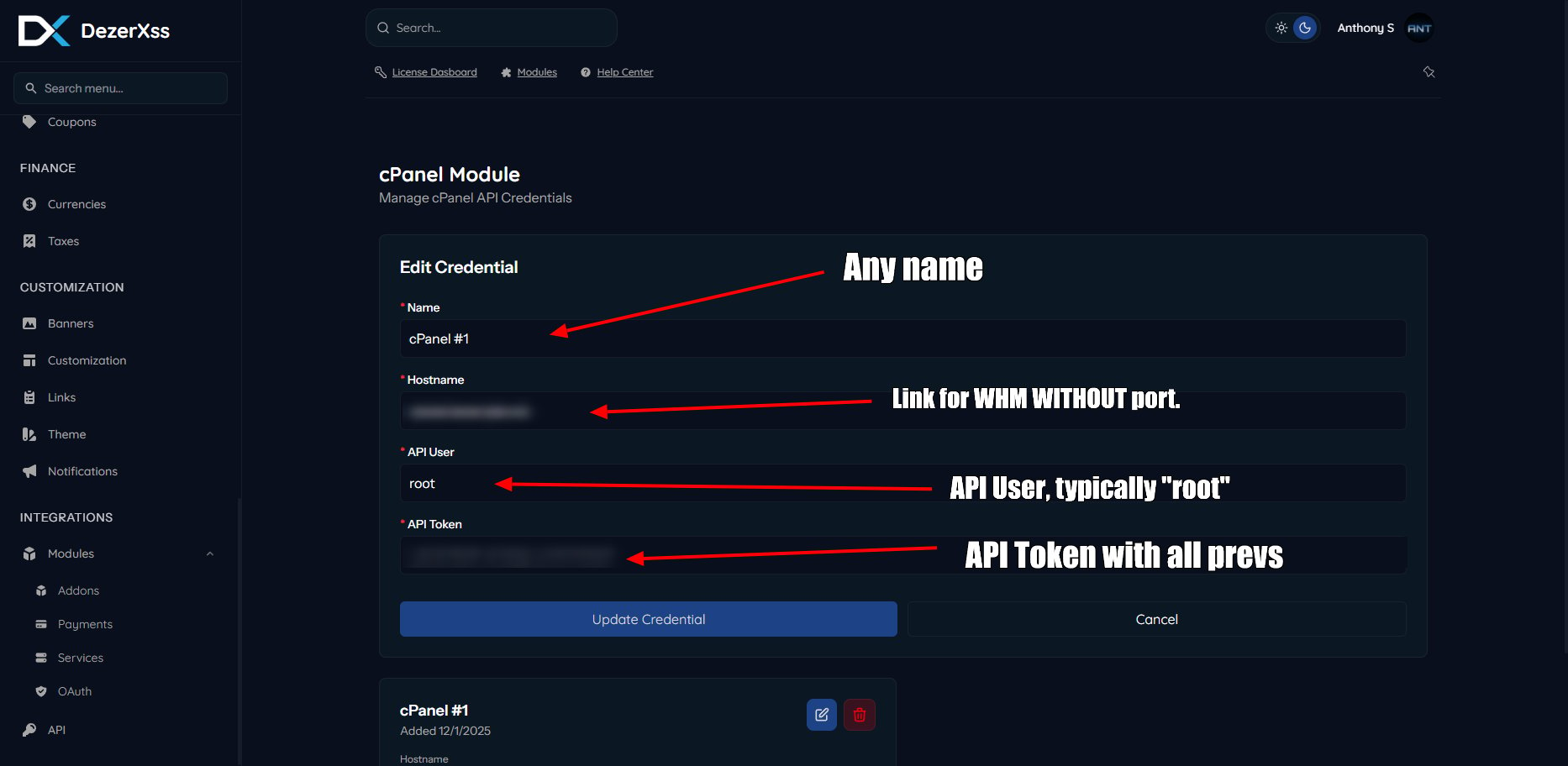
Configure product in DezerX Spartan
1
Create a cPanel product
Go to Products and create a product using the cPanel module.
2
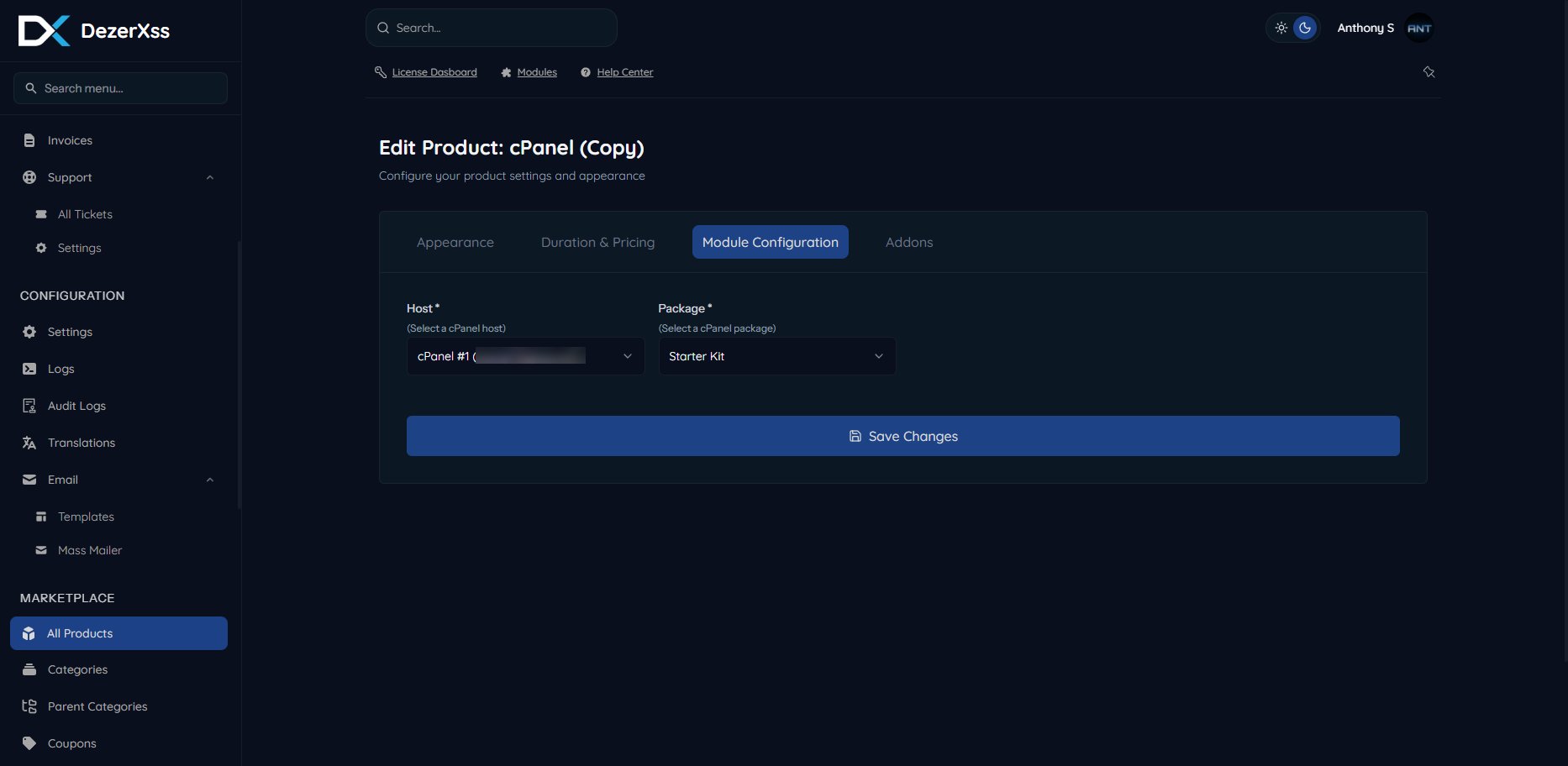
Select the server and package
Select a server (cPanel host) and a package from the dropdown menus.