

Configuring Proxmox.
1
Open the API token settings
Log in to your Proxmox panel and navigate to the API token creation page.
2
Enable Separate Privileges
Make sure Separate Privileges is enabled.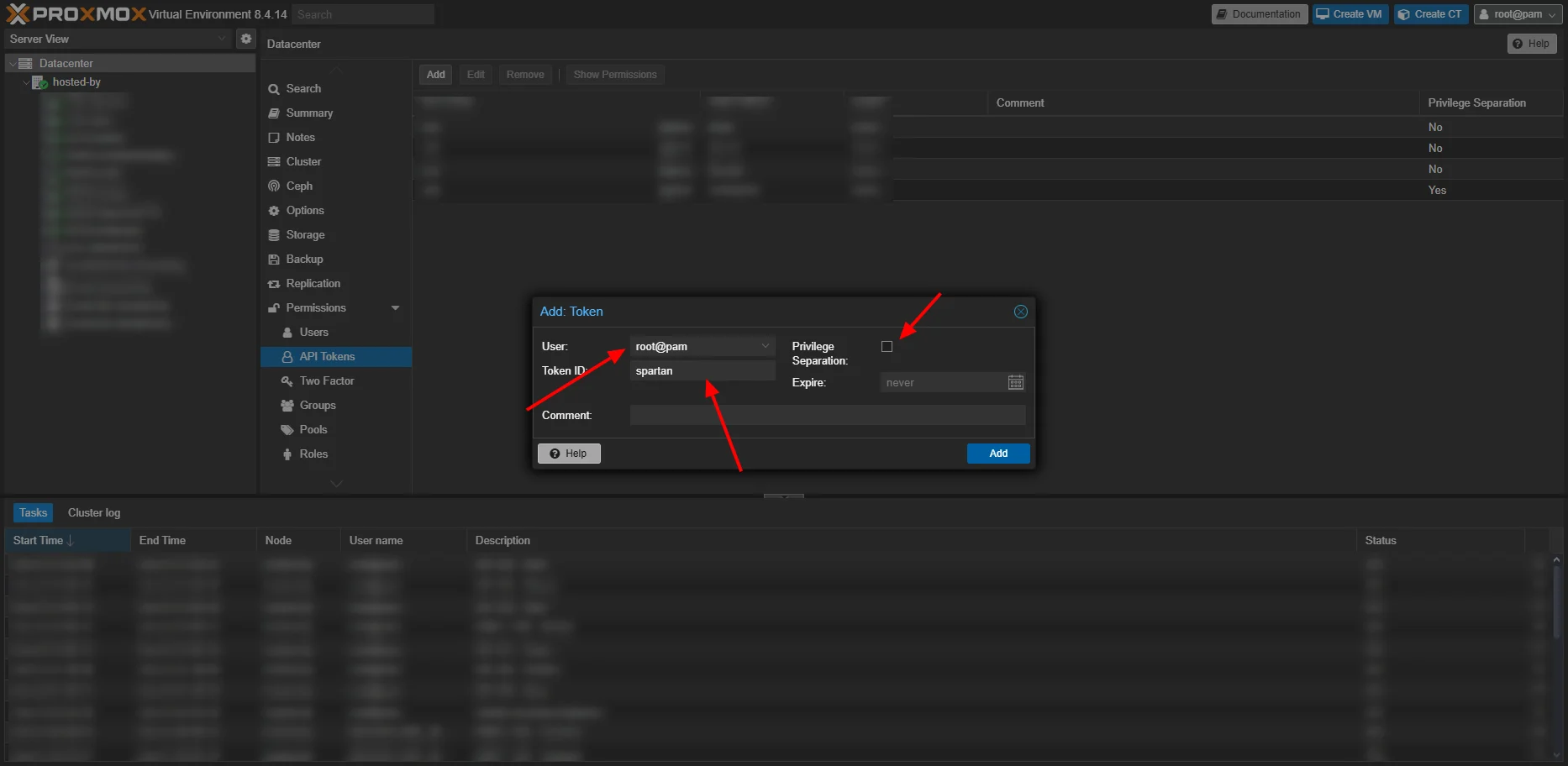
3
Copy the token credentials
Click Next, then copy both the User Token and Secret.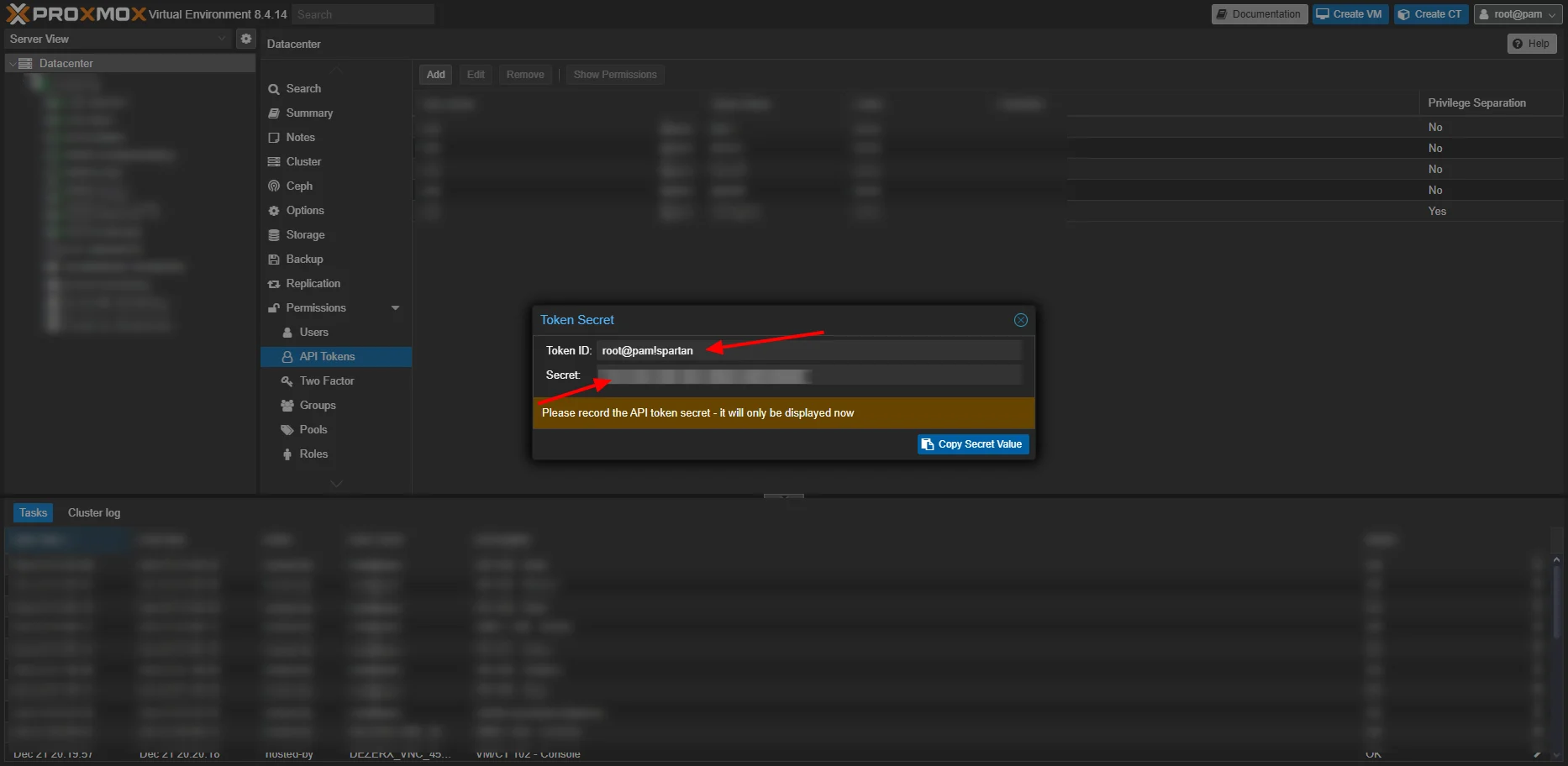
Configure DezerX
1
Open the Proxmox module
Open the Proxmox module in the DezerX Admin Panel.
2
Create a location
Create a new Location using your Proxmox API token and secret.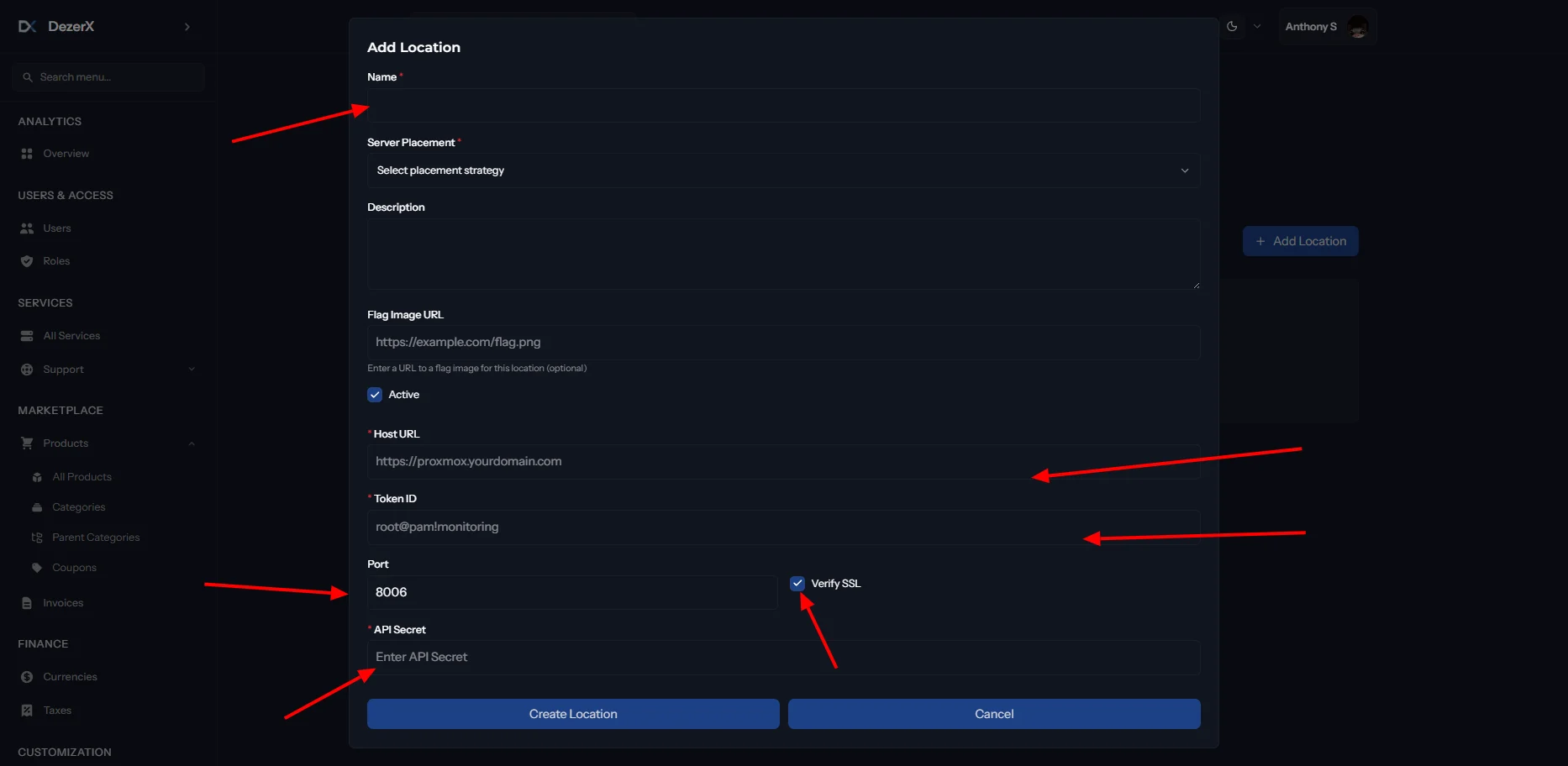
Once saved, your DezerX setup is ready to connect to Proxmox.
Please make sure your proxmox is on the same domain as your billing and has SSL.