

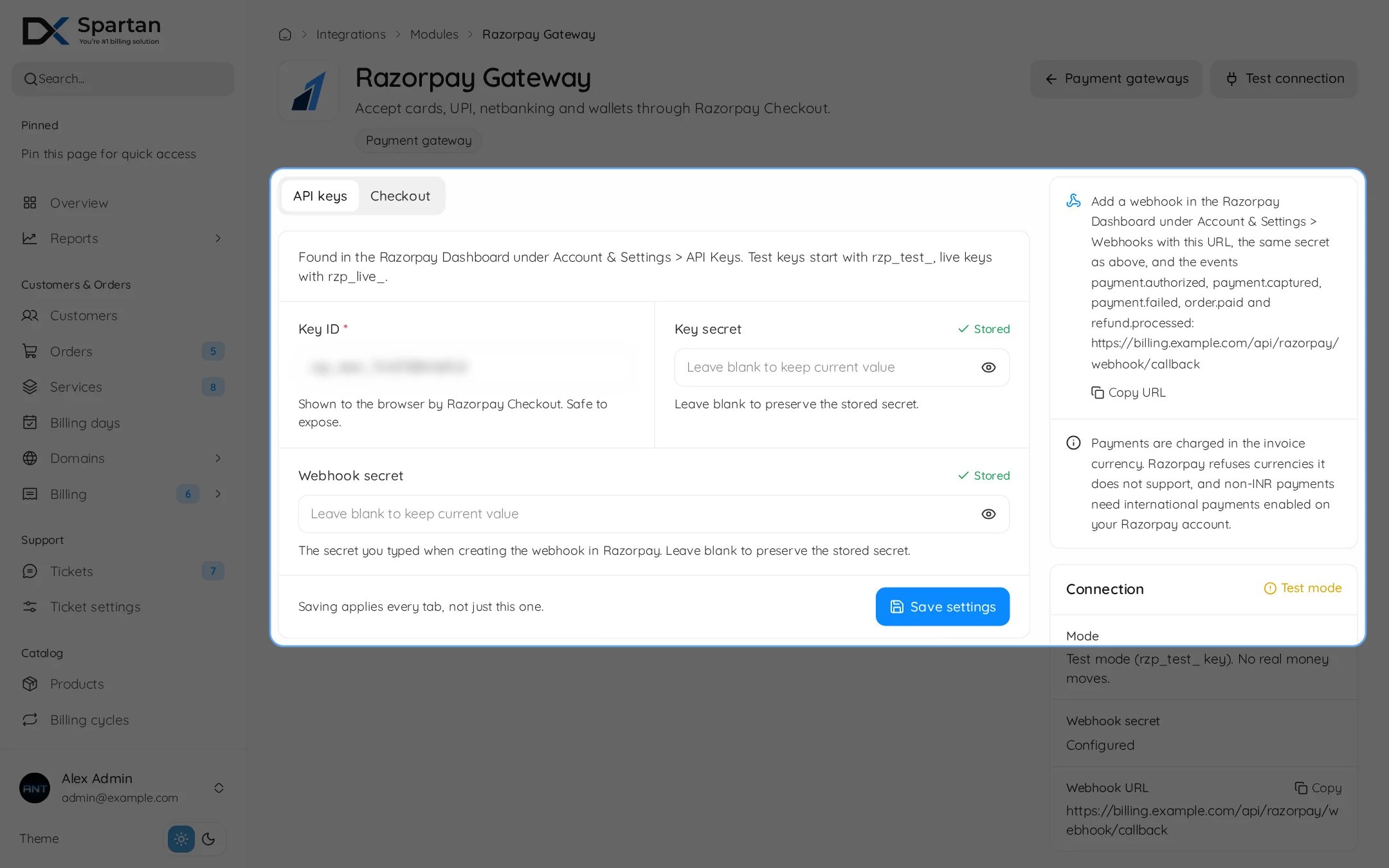
On the provider side
1
Copy the API keys
In the Razorpay Dashboard open Account & Settings, API Keys. Test keys start with
rzp_test_, live keys with rzp_live_.2
Add the webhook
Open Account & Settings, Webhooks, add the URL below, type a secret of your own and select
payment.authorized, payment.captured, payment.failed, order.paid and refund.processed.In Spartan
Go to Integrations, Modules, then open Razorpay and enable the module.
Use Test connection to check the keys.
Leave a secret field empty to keep the stored value.
Webhook
Troubleshooting
- Webhooks rejected: the Webhook secret here must equal the one in Razorpay. The Connection card shows Missing if empty.
- Currency refused: Razorpay does not support every currency. Restrict Allowed currencies.