

Connect Spartan
1
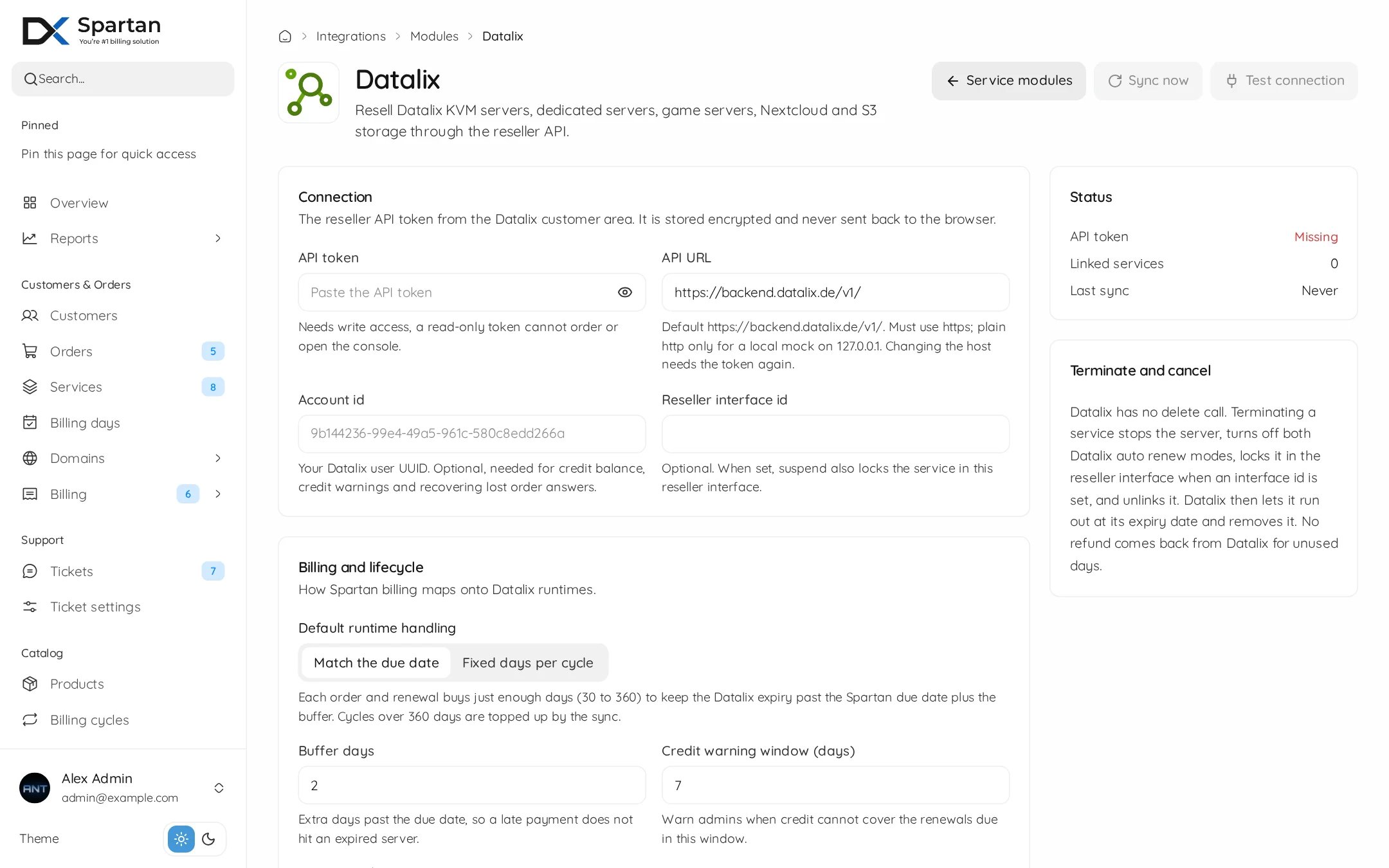
Enable the module
Open Admin, Integrations, Modules and switch Datalix on. Then open its settings.
2
Paste the API token
Create a reseller API token with write access in the Datalix customer area and paste it. A read-only token cannot order or open the console. The token is stored encrypted.
3
Add your account id
Optional, but recommended. With your Datalix user UUID Spartan can show your credit, warn you when it runs low, and recover an order whose answer got lost.
4
Test it
Press Test connection, then Save. Test connection only reads, it never orders anything.
Settings
Datalix sells runtimes of 30 to 360 days. Longer cycles, like a yearly plan, are covered by the sync, which runs every 30 minutes and tops the server up before it runs out.
Console relay
The Datalix console only works through a small relay on your own server. The relay signs in to Datalix for the customer, so your reseller API token never reaches a browser. Until a relay is set up, the Console tab tells customers the console is not available.1
Enter the relay address
Open Datalix, Settings, Console relay. Set the relay address to
https://your-panel.com/datalix-console. When the relay runs on the panel server, also set the panel to relay address to http://127.0.0.1:8091. Save.2
Install the relay
Copy the install command shown on the page and run it as root on the server behind the relay address. It needs Node.js 18 or newer and systemd. It starts the
dezerx-datalix-console service and adds the /datalix-console/ path to your nginx site. Running it again updates the relay.3
Test it
Press Test relay. It checks that the relay answers, knows the secret, and can reach Datalix.
Behind Cloudflare, make sure no WAF or bot rule blocks websockets on
/datalix-console/. Generating a new relay secret stops the console until you run the new install command.Set up a product
Create a product, open the Module tab and pick Datalix.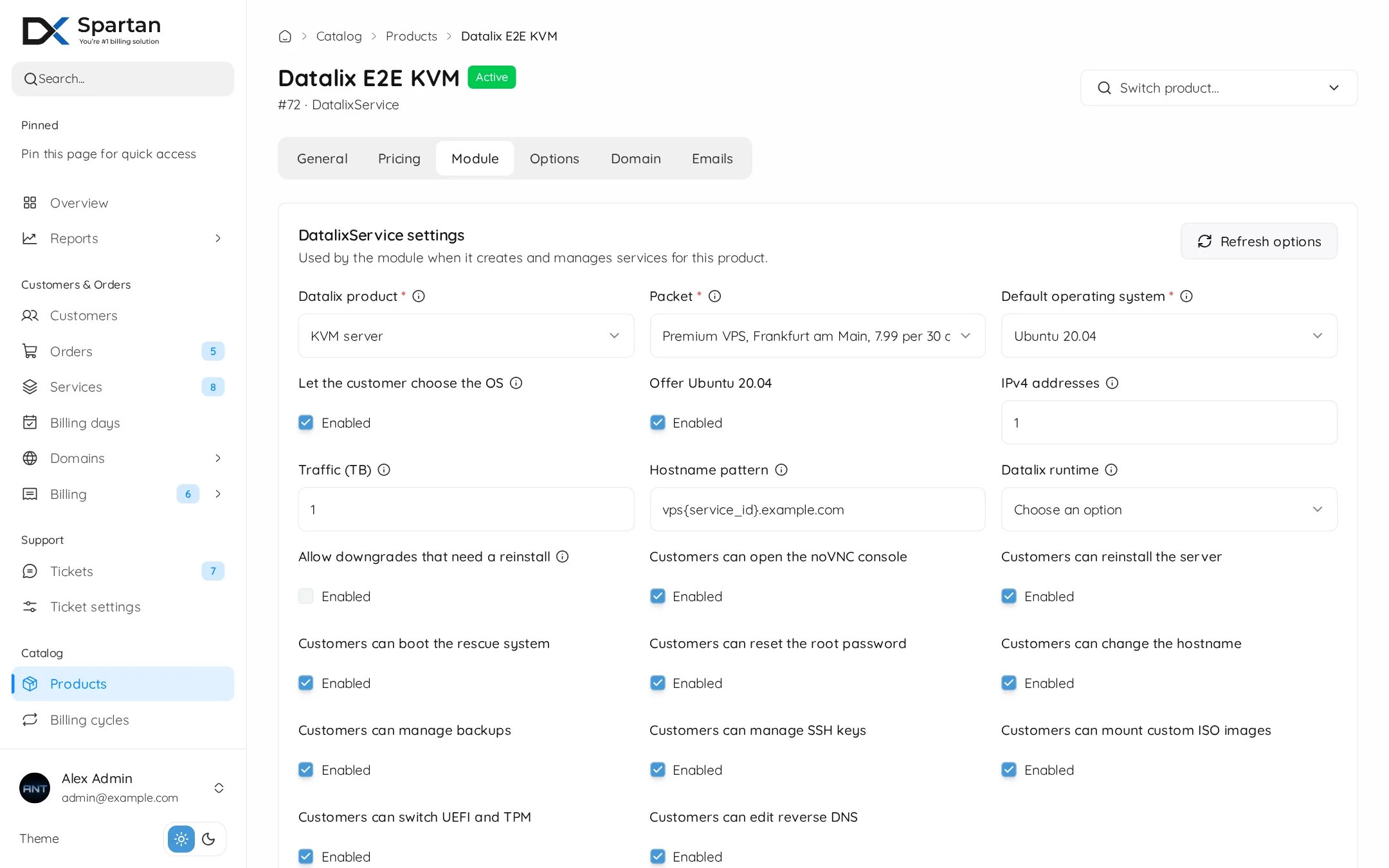
1
Pick what to sell
Choose the Datalix product, then the packet. The list comes live from your reseller account, with the location and your price per 30 days. Sold out packets are marked.
2
Operating system
Pick the default OS, and tick Let the customer choose the OS to offer more at checkout.
3
Resources
Set the IPv4 addresses, traffic and hostname pattern.
vps{service_id}.example.com gives every server its own name. Dedicated servers also get RAM, disk and uplink, S3 gets storage in TB.4
Customer tools
Untick anything the customer should not be able to do, like reinstall or ISO images.
What happens and when
Managing a service
The Datalix tab on the admin service page shows the Datalix id, status, packet and what it costs you, next to the Datalix expiry and the Spartan due date.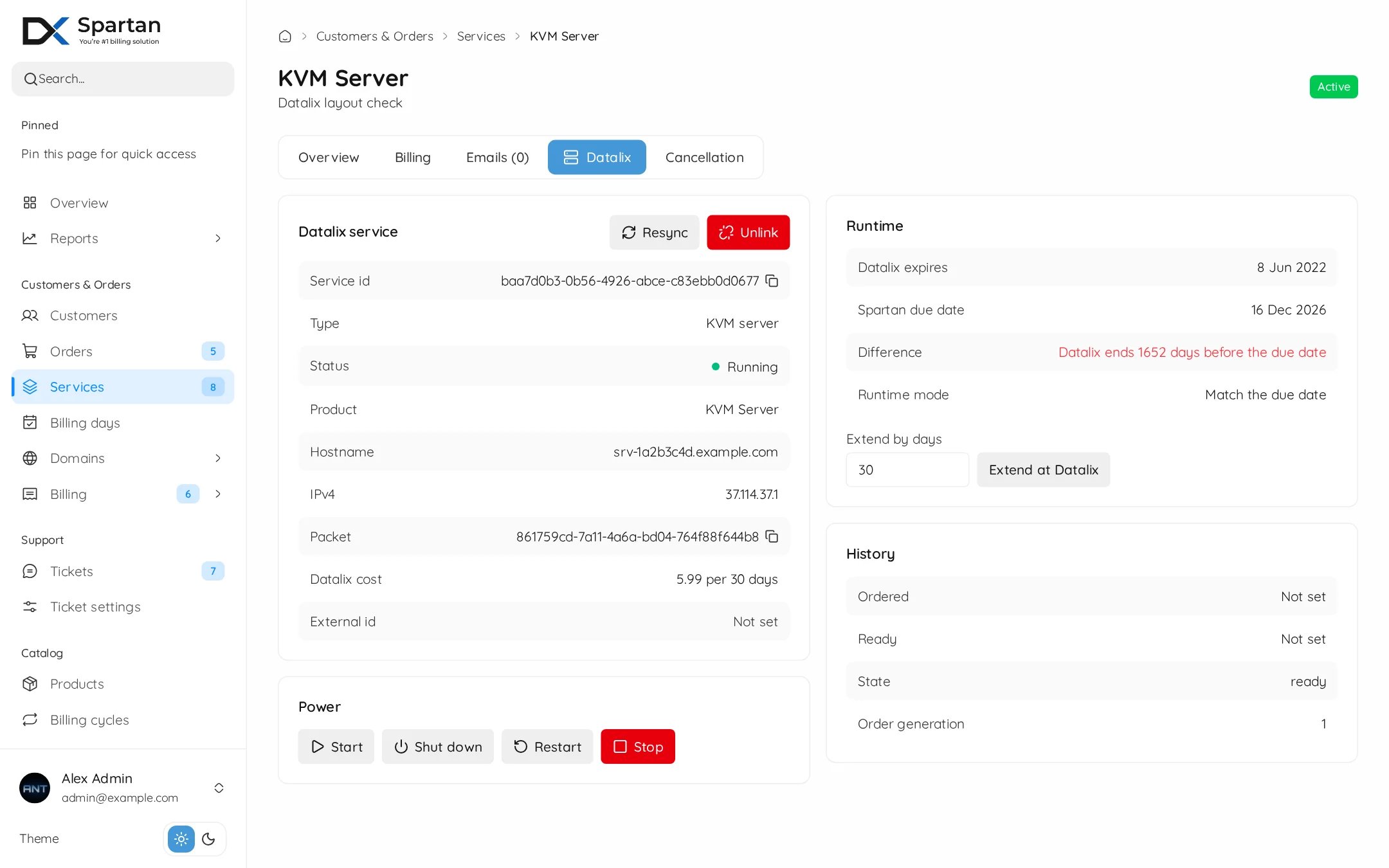
- Resync pulls the latest state from Datalix.
- Extend at Datalix adds days by hand. It costs money, so it asks first.
- Unlink detaches the service without touching anything at Datalix.
- A service that is not linked yet can be linked to a server you already have at Datalix, by its id or from the list of your Datalix services.
- History shows when it was ordered and became ready, plus every extension.
The customer side
Customers manage the server from the Server group on their service page.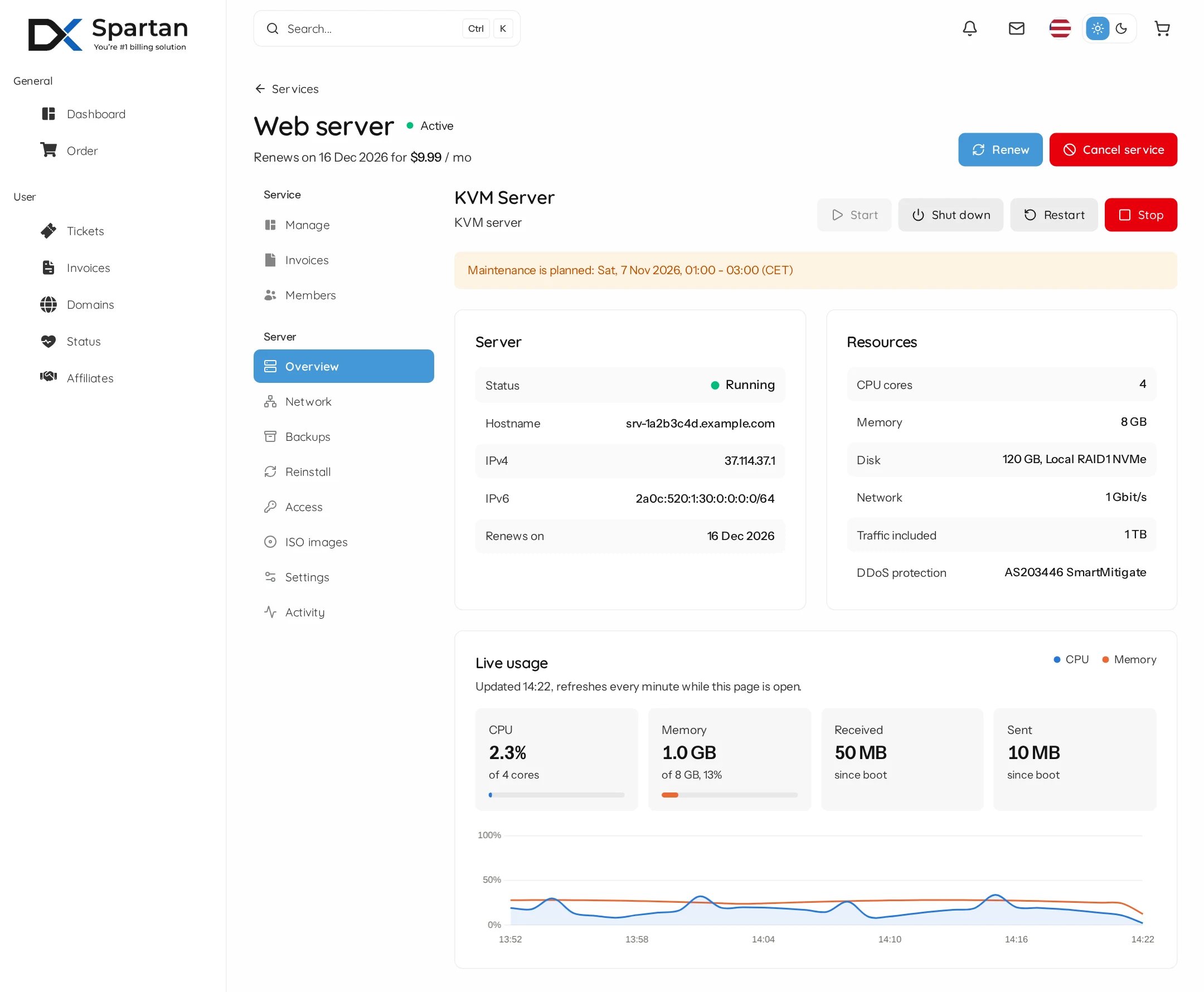
Tabs only show when the Datalix product supports them and the product allows them.
Good to know
- Datalix allows 2 orders per 30 seconds. Spartan queues the rest, nothing gets lost.
- Keep enough credit on your Datalix account. Orders and renewals fail when the credit limit is reached, and admins get an alert.
- Upgrades are off until you set the Upgrade payment field. Try one upgrade on a cheap server before you sell them.