

Pick a module
Pterodactyl
Game servers with eggs, nodes, per hour billing and auto stock.
Calagopus
Game servers on the Rust based Calagopus panel, with single sign-on.
Pelican
Game servers on Pelican with presets and per hour billing.
VirtFusion
KVM virtual machines by package and hypervisor.
Proxmox
VMs on your own clusters, with templates, IP pools and a console.
Datalix
Resell Datalix KVM and dedicated servers, game servers, Nextcloud and S3 storage.
cPanel
Web hosting accounts created through WHM.
Plesk
Web hosting subscriptions on Plesk.
HestiaCP
Web hosting users on HestiaCP.
Licensing
Sell software licenses with a verify and download API.
Namecheap
Register and renew domains. Works as a registrar, not a product module.
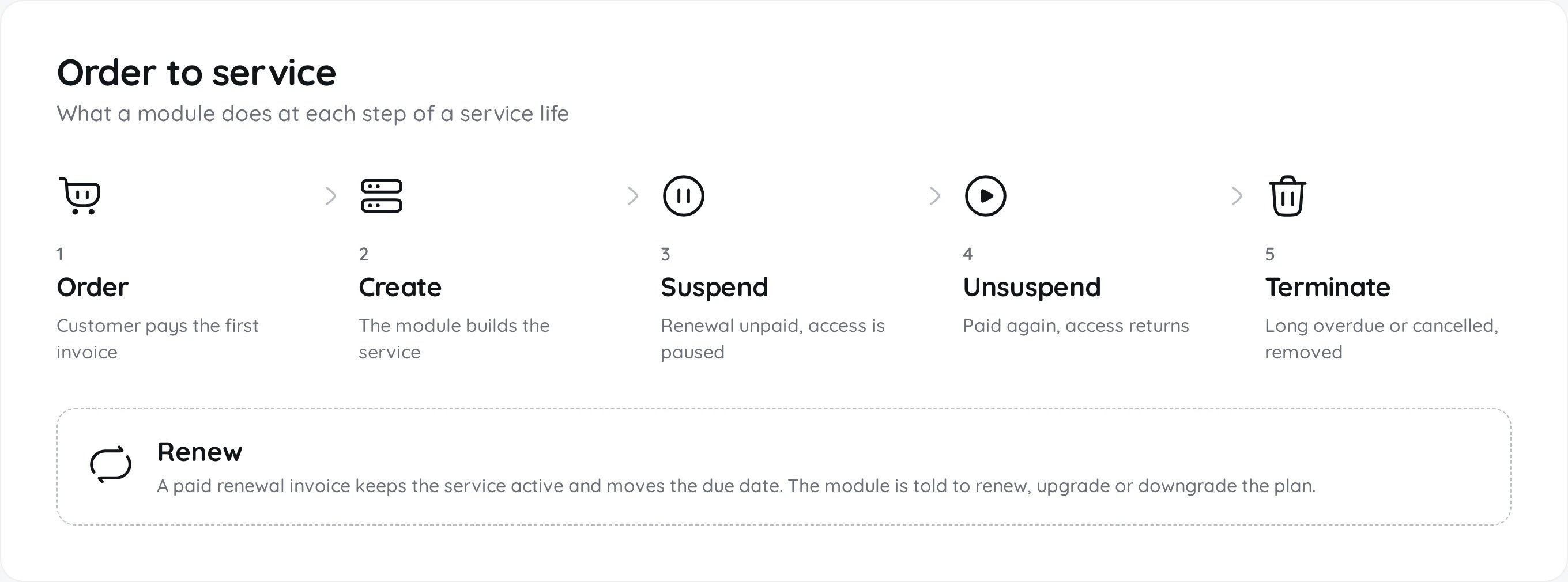
What each step does
Set up any module
1
Connect it
Open Admin, Integrations, Modules and enable the module. Open its settings, enter the panel URL and credentials, then press Test Connection.
2
Add a product
In Products, create a product and choose the module on the Module tab. Pick the plan, node or package it should create.
3
Place a test order
Order it yourself. Check that the service is created, then suspend and unsuspend it from the admin service page.
Secrets such as API keys are stored encrypted. The settings page only shows a placeholder after saving, leave it unchanged to keep the saved value.