Connect Spartan
1
Create an API key
In the Calagopus admin area create an API key with access to users, servers, nodes, locations and eggs.
2
Enter the connection
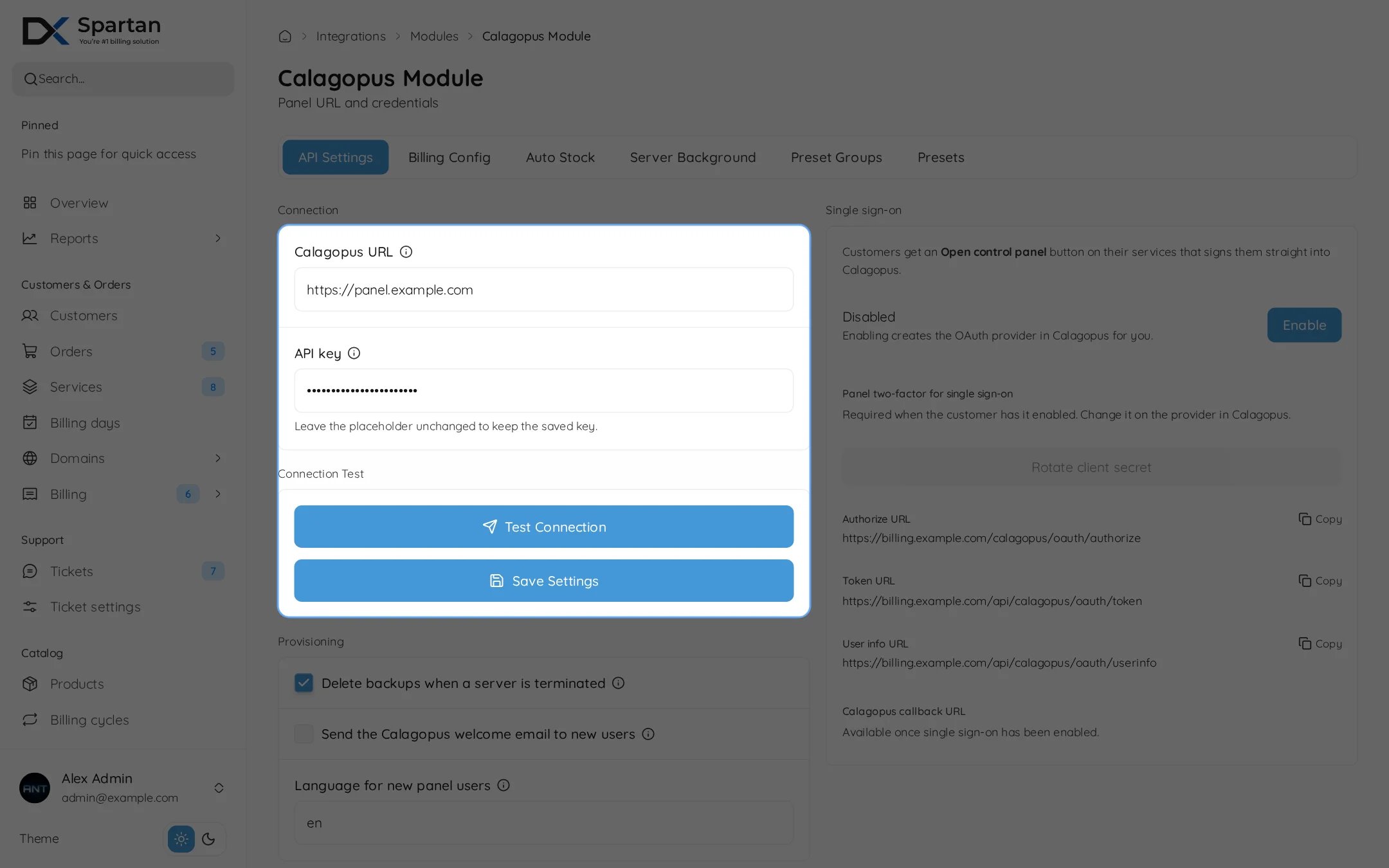
Open Admin, Integrations, Modules, Calagopus. On the API Settings tab enter the Calagopus URL and the API key, press Test Connection, then Save Settings.
3
Choose provisioning options
Under Provisioning choose whether to delete backups when a server is terminated, whether to send the Calagopus welcome email, and the language for new panel users.
Single sign-on
Customers get an Open control panel button on each service that signs them straight in.1
Enable it
Press Enable on the Single sign-on card. Spartan creates the OAuth provider in Calagopus for you.
2
Check the URLs
The card shows the Authorize, Token, User info and callback URLs. They are filled in automatically, copy them only if you set the provider up by hand.
Rotate client secret replaces the secret on both sides. Two-factor for sign-on follows the setting on the provider in Calagopus.
Other tabs
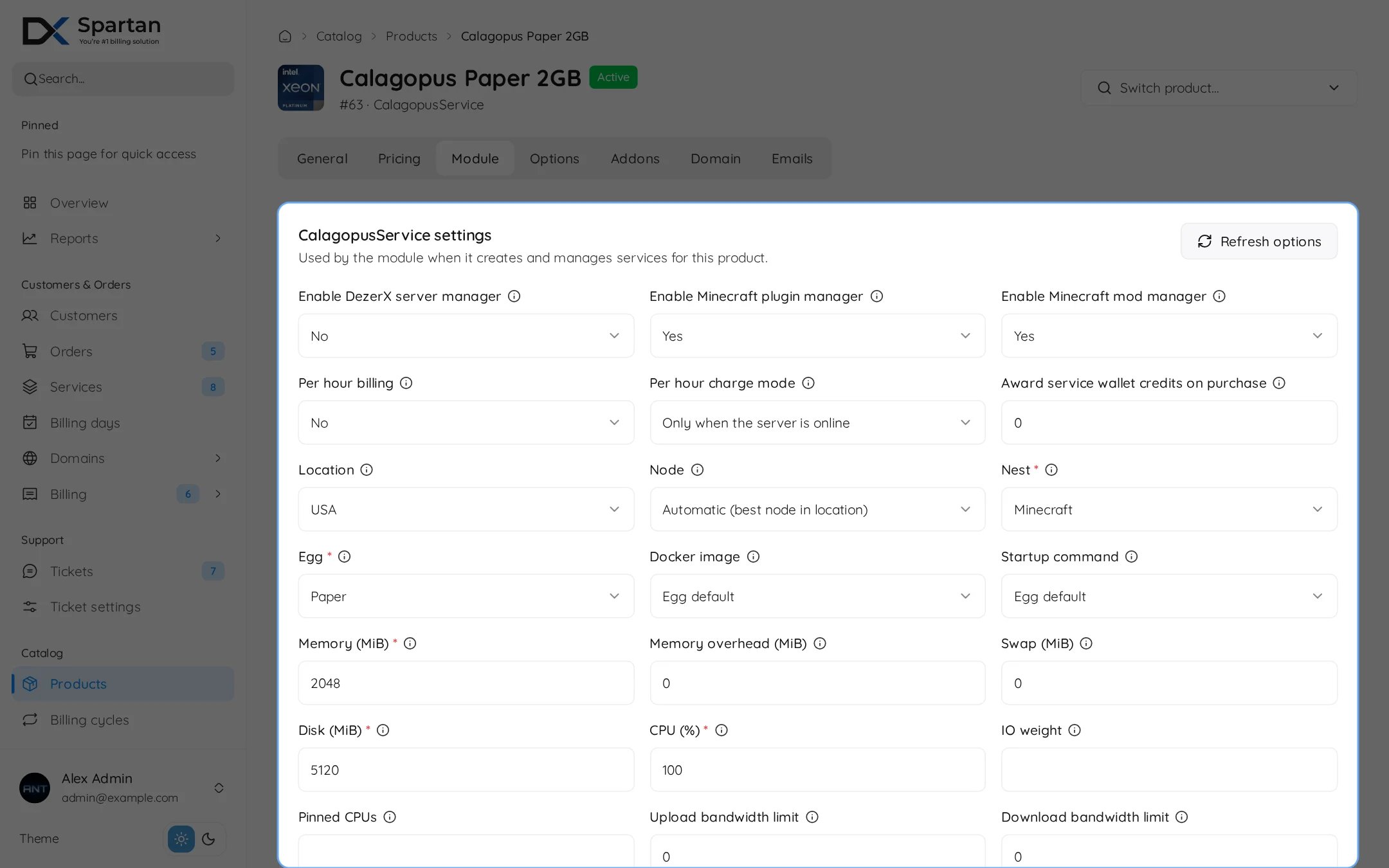
Set up a product
Open the product, then the Module tab.